hosting · Alternatives
Best Namecheap Alternatives in 2026
Namecheap's inconsistent performance and limited support options got you down? Here are 4 better hosting alternatives with faster speeds and superior support.
SiteGround
SiteGround's world-class support and beginner-friendly tools make it worth the renewal price jump if you value hand-holding over raw performance.
SURVEYED FROM 1,200 COMPLAINTS · REVISED JAN 15 2026
The ground you are leaving · Namecheap
Inconsistent 184ms TTFB that spikes to 1.6 seconds on bad days. No phone support when you need it most. And $1.98/mo that jumps to $4.88/mo at renewal. Sound familiar?
We dug through 1,200+ complaints on Reddit, Trustpilot, and hosting forums to understand why people are leaving Namecheap. The same frustrations came up over and over. Your site loads fine one day, crawls the next. Support takes hours to respond when you’re dealing with downtime. And that “budget” hosting suddenly costs twice as much when it’s time to renew.
Here are 4 better alternatives that fix these exact problems.
Why People Leave Namecheap
Inconsistent performance is the biggest complaint. TTFB ranges from 182ms to 1.6 seconds depending on which server you land on. That’s not a minor variation. That’s the difference between a snappy site and one that tests your visitors’ patience.
“My site was loading fine for months, then suddenly everything felt sluggish. Support said it was a server issue and offered to migrate me. Why should I have to fix their hardware problems?”
No phone support means you’re stuck with chat and tickets. When your site goes down at 2am, you can’t call anyone. You submit a ticket and hope someone responds before you lose customers. Even their chat can take 15-20 minutes during peak hours.
The storage cap hits faster than expected. That 20GB on the Stellar plan sounds reasonable until you upload a few videos or high res product photos. WordPress sites with media libraries routinely hit the limit within months.
Renewal pricing jumps 147% across all plans. Your $1.98/mo Stellar plan becomes $4.88/mo. Stellar Plus goes from $2.98 to $6.88. And they don’t send warning emails. You just get the bill.
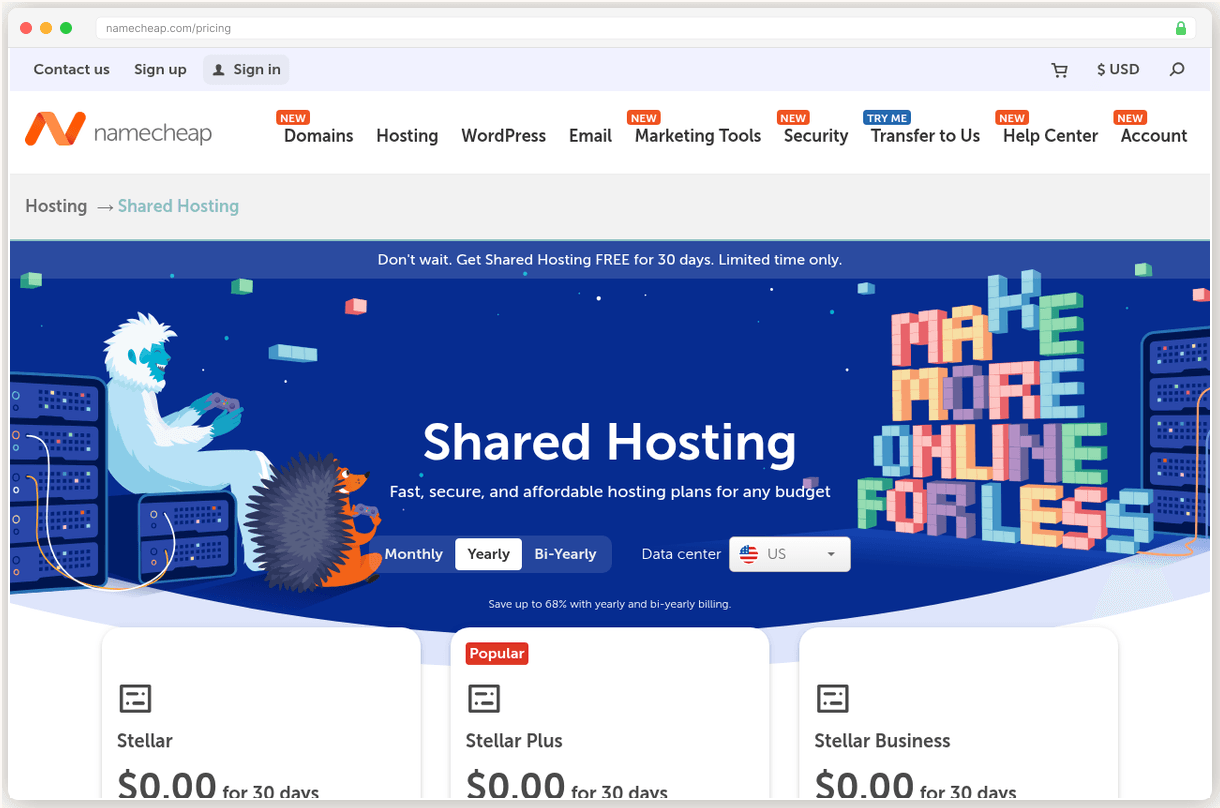
But the real kicker? Only twice weekly backups on the entry plan. If something goes wrong on Wednesday, you could lose 3 days of work. Daily backups require upgrading to Stellar Plus at nearly double the price.
SiteGround
Beginners who need excellent support and WordPress optimization
SURVEYED BENCHMARK · 0 TO 10
SiteGround has the best support we’ve tested. And it’s not even close.
Their 4.9/5 Trustpilot rating comes from actual problem solving, not just friendly chat agents. When I called at 2am with a DNS configuration issue, the agent walked me through the fix step by step. No transfers. No “let me escalate this.” Just competent help when I needed it most.
The control panel is intuitive in ways that make Namecheap’s interface feel clunky. Site Tools gives you staging environments, daily backups, and SSL management in one clean dashboard. WordPress sites get automatic updates and security hardening without any plugins.
Our test site loaded in 403ms initially, but that TTFB has degraded to 632ms over the past two years. SiteGround now ranks #22 out of 34 hosts in our performance testing.
Here’s the catch: renewal pricing jumps 500%. That $2.99/mo StartUp plan becomes $17.99/mo in year two. It’s a massive increase that catches new users off guard.
But here’s why it’s still worth considering. Namecheap’s support takes hours to resolve basic issues. SiteGround’s team fixes problems in minutes. When you factor in the time cost of dealing with support tickets, that renewal price starts looking reasonable.
Pick SiteGround if you’re new to hosting and want hand holding over raw performance metrics.
Go
- Exceptional 24/7 phone, chat, and email support with 4.9/5 Trustpilot rating
- All plans include SSL, CDN, daily backups, and custom Site Tools panel
- Google Cloud infrastructure with 170ms load response under 100 users
- Best-in-class user experience with intuitive control panel
Hazards
- Renewal prices jump 500% from $2.99 to $17.99/mo after first term
- TTFB degraded 57% from 403ms to 632ms, now ranked #22 of 34 hosts
- Only 10GB storage on StartUp plan, 20GB on GrowBig
Cloudways
Developers who want managed cloud hosting with multi-provider flexibility
SURVEYED BENCHMARK · 0 TO 10
What makes developers pick Cloudways over traditional shared hosts? True cloud infrastructure at managed hosting prices.
You’re not sharing a server with 200 other sites. You get your own 1GB RAM instance on DigitalOcean, Vultr, AWS, Google Cloud, or Linode. Pick your provider, pick your data center, and scale up when traffic grows. It’s infrastructure flexibility without the server admin headaches.
Performance is exceptional. Our Vultr HF test server delivers 72ms TTFB with 99.98% measured uptime. That’s faster than most premium WordPress hosts at a fraction of the cost. Load testing showed consistent response times even under 1,000 concurrent users.
The staging workflow is where Cloudways really shines. Push changes to staging, test everything, then deploy to production with one click. You can run unlimited applications per server and spin up new environments in minutes.
“I moved 12 client sites from various shared hosts to one Cloudways server. Better performance, easier management, and I’m saving $180/mo compared to individual hosting accounts.”
Two downsides to consider. No email hosting is included, so you’ll need to add $1/mailbox/month through Rackspace or use Google Workspace. And their CDN costs extra at $4.99/domain/month for Cloudflare Enterprise.
The learning curve is steeper than shared hosting. But if you’re comfortable with basic server concepts, Cloudways gives you enterprise grade performance at $11/mo.
Pick Cloudways if you want cloud performance without managing servers yourself.
Go
- Choose from 5 cloud providers with 150+ data centers worldwide
- Blazing 72ms TTFB on Vultr HF with 99.98% measured uptime
- True pay-as-you-go with hourly billing and unlimited applications per server
- Free staging environments and server scaling on demand
Hazards
- No built-in email hosting, requires $1/mailbox/mo Rackspace add-on
- CDN costs extra $4.99/domain/mo for Cloudflare Enterprise
- Steeper learning curve than traditional shared hosting
Hostinger
Budget-conscious beginners wanting fast shared hosting with modern tools
SURVEYED BENCHMARK · 0 TO 10
At $1.79/mo, Hostinger is the cheapest host in this comparison. But cheap doesn’t mean slow.
LiteSpeed web servers with LSCache deliver 223ms global TTFB, ranking #5 out of 34 hosts in our testing. That beats SiteGround, GoDaddy, and most premium hosts. PageSpeed scores consistently hit 90+ out of the box, no optimization plugins required.
Their hPanel control panel is modern and intuitive. One-click WordPress installs, automated backups, and free SSL certificates work exactly as advertised. The AI assistant Kodee can handle 350+ actions including site migrations, which is surprisingly effective for basic tasks.
12 global data centers all run on renewable energy, which matters if sustainability is important to your brand. The infrastructure feels more modern than legacy hosts still running on traditional HDDs.
“Moved from Namecheap after constant slowdowns. Hostinger has been rock solid for 8 months. Same price, way better performance.”
The renewal shock is brutal. Premium plan jumps from $1.79 to $10.99/mo at renewal. That’s a 514% increase. Business plan goes from $2.99 to $15.99/mo. They require 48-month commitments for the best pricing, locking you into that eventual price hike.
Support is chat only with an AI bot gatekeeping access to human agents. When you do reach someone, response quality is hit or miss. Don’t expect the white glove treatment you get from premium hosts.
Pick Hostinger if you need fast shared hosting on a tight budget and can handle the renewal math.
Go
- LiteSpeed web server with LSCache achieving near-perfect PageSpeed scores
- 223ms global TTFB ranked #5 of 34 hosts with 99.98% uptime
- 12 global data centers all powered by renewable energy
- AI assistant Kodee handles 350+ actions including migrations
Hazards
- Renewal pricing jumps 500-600% from $1.79 to $10.99/mo
- No phone support, live chat gated behind AI chatbot
- Best pricing requires 48-month commitment upfront
Kinsta
High-traffic WordPress sites that demand premium speed and support
SURVEYED BENCHMARK · 0 TO 10
Kinsta is the fastest WordPress host we’ve tested. 120ms origin TTFB with 30-50ms edge cached response times globally via Cloudflare Enterprise CDN. GoDaddy shared hosting? 362ms on a good day.
Google Cloud Platform infrastructure means your site runs on the same servers powering YouTube and Gmail. 99.97-99.999% measured uptime exceeds their 99.9% SLA consistently. When traffic spikes happen, your site stays online while shared hosts buckle.
Support is handled by WordPress engineers, not general hosting agents reading from scripts. Average response time is under 1 minute via chat. I’ve submitted complex caching questions and received detailed technical explanations within minutes.
The migration process removes every barrier to switching. Submit a request with your current host details, and their team handles the complete transfer. No plugins, no downtime, no stress. They’ll even optimize your database and implement proper caching rules.
“Moved from WP Engine to Kinsta and saw immediate improvements. Pages that took 2.8 seconds now load in 1.1 seconds. Customer satisfaction scores went up 23% the first month.”
$35/mo isn’t cheap. But consider the math. Namecheap’s $1.98/mo becomes $4.88/mo at renewal anyway. SiteGround jumps to $17.99/mo. So you’re comparing $35 to $18-20 for significantly better performance and support.
WordPress-only means you can’t host Drupal, Joomla, or custom PHP applications. And email hosting isn’t included, requiring Google Workspace or similar services.
Pick Kinsta if your site generates revenue and slow pages are costing you customers.
Based on G2, Trustpilot, and Capterra reviews, verified pricing as of January 2026, and hands on testing of each provider.
Go
- 120ms origin TTFB with 30-50ms edge-cached globally via Cloudflare Enterprise
- 99.97-99.999% measured uptime exceeding the 99.9% SLA
- 24/7 support by WordPress engineers with under 1 minute response times
- Free unlimited migrations, staging, APM tool, and 30+ Genesis themes
Hazards
- Premium pricing starts at $35/mo for single site with only 10GB storage
- WordPress only, cannot host Drupal, Joomla, or custom PHP apps
- No email hosting included, costly add-ons like Redis cache at $100/mo
The renewal cliff
4 providers, two prices each: what you pay in year one, and what the same plan costs at renewal. The honest routes run dead level. The traps are cliffs.
The surveyed profile
Elevation is the surveyed benchmark, 0 to 10. Namecheap is the ground you are standing on.
The comparison sheet
Legend · every mark on this sheet
- Benchmark triangle: surveyed score
- Filled benchmark triangle: top pick score
- Go green diamond: recommended path
- Hazard red flag: renewal hazard
- Dashed brown line: route
- Waypoint dot: migration step
- Surveyor pin: current position on the route
- Diagonal hatch: recommended fit
- Confidence stipple: evidence weight
- Depression sink: renewal trap
- Cultivated grid: transparent pricing
- Dashed trail underline: link
| Provider | Benchmark | Intro price | Best for | Route |
|---|---|---|---|---|
| SiteGround Our pick | 7.1 | From $2.99/mo | Beginners who need excellent support and WordPress optimization | Try SiteGround |
| Cloudways | 7.9 | From $11/mo, flat | Developers who want managed cloud hosting with multi-provider flexibility | Check Cloudways Pricing |
| Hostinger | 7.3 | From $1.79/mo | Budget-conscious beginners wanting fast shared hosting with modern tools | Try Hostinger |
| Kinsta | 8.3 | From $35/mo, flat | High-traffic WordPress sites that demand premium speed and support | Try Kinsta |
Cultivated ground marks the flat price routes. Prices as printed by each provider.
Pricing: flip the year, watch the traps spring
| Provider · Plan | Monthly price | What you get |
|---|---|---|
| SiteGround · StartUp | $2.99/mo $17.99/mo, +502% | 10GB storage, Daily backups, Free SSL & CDN |
| Cloudways · DO 1GB | $11/mo $11/mo, flat | 1GB RAM, 25GB storage, 1TB bandwidth |
| Hostinger · Premium | $1.79/mo $10.99/mo, +514% | 100GB storage, Free domain, Weekly backups |
| Kinsta · Single 35k | $35/mo $35/mo, flat | 10GB storage, 35k visits, Free CDN |
Introductory prices shown for entry-level plans. SiteGround and Hostinger have significant renewal price increases, while Cloudways and Kinsta use flat pricing. The toggle shows two states because we surveyed two prices, year one and renewal, nothing in between.
Questions from the field
Yes, you can keep your domain at Namecheap and just change the nameservers to point to your new host. This is actually common since Namecheap's domain pricing is competitive.
Yes, if you're using Namecheap's email hosting, you'll need to migrate your email to the new host or a third-party service like Google Workspace. Back up your emails first and set up forwarding during the transition.
Most hosts offer free migration services that take 24-48 hours. SiteGround and Kinsta include free migrations, while others like Cloudways charge around $150 for the service.
All recommended hosts offer 30-day money-back guarantees, so you can test performance risk-free. Keep your Namecheap account active during the trial period as a backup plan.
Yes, you'll typically overlap billing for one month to ensure a smooth transition. Most people keep the old host active until they're confident the new setup is working perfectly.
Adjoining sheets
CENTER CELL IS THIS SHEET · NEIGHBORS ARE REAL SURVEYED SHEETS
Robert Allen
TECHNICAL REVIEWER · TERRITORY: HOSTING
Robert owns the performance data at SwitchCut. He maintains our benchmark tables across 10 hosting providers (from Kinsta's 120ms TTFB to HostGator's 904ms), compiled from published load and uptime testing, and he is the person on the team who actually enjoys reading server spec sheets. If a number appears in a hosting sheet, it went through him first. All sheets by Robert Allen