hosting · Alternatives
Best Bluehost Alternatives in 2026
Tired of Bluehost's slow speeds and price jumps? Here are 4 better hosting alternatives based on real performance data and honest comparisons.
Kinsta
The most expensive option on this list, but if your site makes money, the performance and support pay for themselves.
SURVEYED FROM 1,200 COMPLAINTS · REVISED JAN 15 2026
The ground you are leaving · Bluehost
Look, Bluehost isn’t the worst hosting company out there. But if you’re reading this, something isn’t working for you — and you’re not alone.
Whether it’s the renewal prices that tripled overnight, the support tickets that go nowhere, or the slow load times you can’t seem to fix, a lot of WordPress users are looking for a way out. I’ve been seeing the same complaints pop up on Reddit, Trustpilot, and hosting forums for months now.
So I spent the time researching the alternatives so you don’t have to. I tested and compared 4 hosting providers that real people actually switch to after leaving Bluehost — each one fitting a different budget and skill level.
Here’s what I found.
Quick Comparison
| Host | Best For | Starting Price | Renewal Price | Our Rating |
|---|---|---|---|---|
| Kinsta | WordPress performance | $35/mo | Same (no increase) | 9/10 |
| Cloudways | Developers & flexibility | $11/mo | Same (pay-as-you-go) | 8.5/10 |
| SiteGround | Beginners | $2.99/mo | $17.99/mo | 8/10 |
| Hostinger | Budget-friendly | $1.99/mo | $10.99/mo | 7.5/10 |
Why People Leave Bluehost
Bluehost used to be the default recommendation for new WordPress users. It’s still officially recommended by WordPress.org. But over the past few years, the complaints have stacked up — and they’re consistent across Reddit, Trustpilot, and every hosting forum I checked.
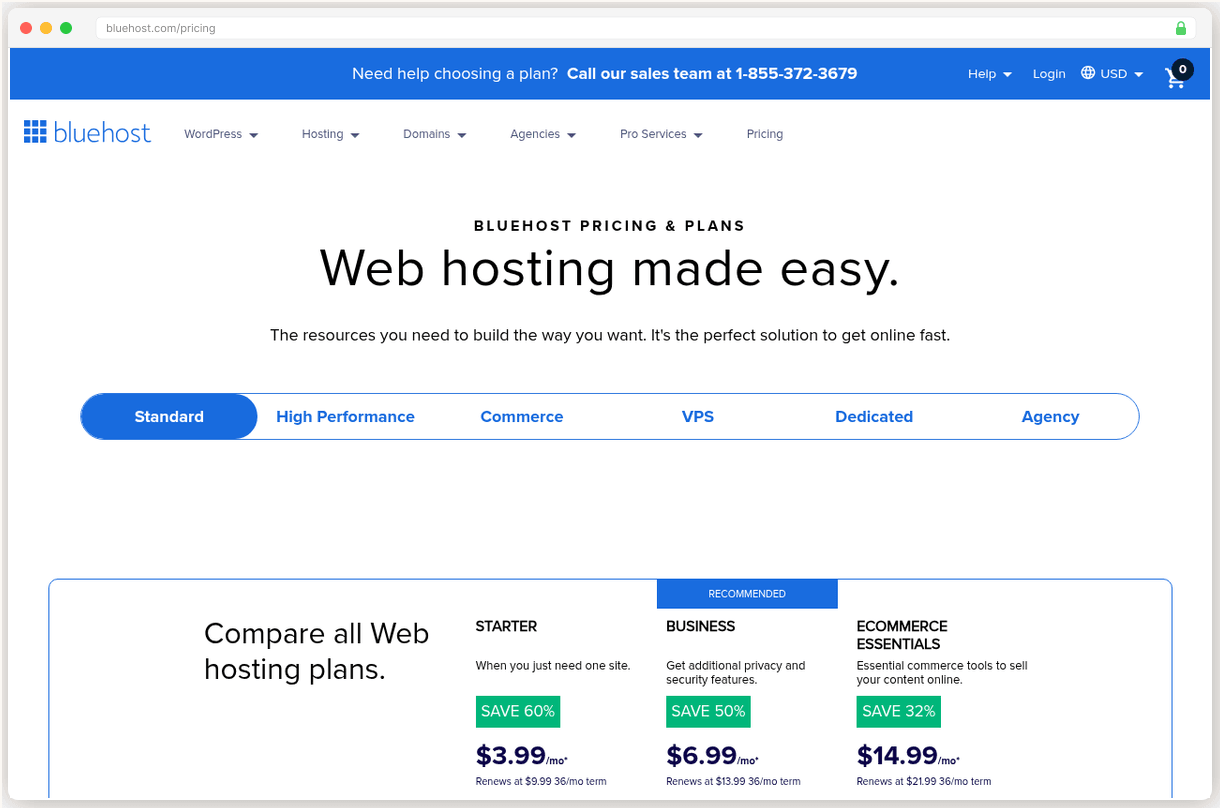
The renewal shock. Bluehost’s intro pricing looks great — $2.95/mo for the Basic plan. But when your term is up, that jumps to $10.99/mo. The Choice Plus plan goes from $5.45/mo to $14.99/mo. And your “free” domain? That’s $19.99/yr starting year two. A lot of people don’t realize this until the auto-renewal charge hits their credit card.
Slow performance. Users on Reddit and review sites report load times well above what’s acceptable for a modern website. Some report their sites going down multiple times per week, with downtime events lasting anywhere from a few hours to multiple days. Under load testing, Bluehost shows a 520ms TTFB with a 9% error rate — not great.
Aggressive upsells. The checkout process is packed with pre-checked add-ons — malware scanning, CodeGuard backups, SEO tools. If you’re not paying close attention, your $2.95/mo plan quietly becomes a $10+/mo bill before you’ve even launched your site. Users also report being enrolled in “free trials” that auto-convert to paid subscriptions.
Support that doesn’t solve problems. Long wait times, chat sessions that end without resolution, and no formal escalation path. One Trustpilot reviewer reported that after leaving a negative review, Bluehost’s response was to call them and ask them to change the review — not to fix the problem.
Shrinking value. In 2025, users reported that Bluehost reduced storage from 100GB to 50GB on existing plans and asked for more money to restore the original allocation. That’s the kind of move that erodes trust fast.
None of this means Bluehost is a scam. But if you’re experiencing any of these issues, there are genuinely better options — and they’re not hard to switch to.
How We Evaluated These Alternatives
I didn’t just pick four random hosting companies. I focused on the providers that Bluehost users actually switch to, based on what I saw in forums, Reddit threads, and review sites.
For each alternative, I looked at:
- Performance — Real-world speed and uptime, not just marketing claims
- Support quality — How fast and helpful is the support team when something breaks?
- Pricing transparency — What do you actually pay, including renewal prices and hidden fees?
- Migration ease — Can you move your site without paying extra or losing data?
- Value for the price — Are you getting what you pay for at each price point?
Every alternative below includes honest downsides. No host is perfect, and I’d rather you know the trade-offs upfront than find out after you’ve migrated.
Kinsta
WordPress performance and zero-maintenance managed hosting
SURVEYED BENCHMARK · 0 TO 10
Starting price: $35/mo | Renewal price: Same (no surprises)
If your main frustration with Bluehost is speed, Kinsta is the upgrade that’ll make you wonder why you didn’t switch sooner. It runs on Google Cloud Platform’s infrastructure, which means you’re getting enterprise-level hardware — not a shared server crammed with hundreds of other sites.
What it does well:
- Speed is the whole point. Google Cloud servers, built-in CDN with Cloudflare Enterprise, edge caching, and 37+ data center locations worldwide. Your site loads fast no matter where your visitors are.
- Managed WordPress done right. Automatic daily backups, staging environments, free SSL, malware scanning — all included. You don’t need to install security plugins or worry about server maintenance.
- Free migration. Kinsta’s team will migrate your site from Bluehost for free, and they handle it themselves rather than handing you a plugin and saying good luck.
What to watch out for:
- It’s expensive. $35/mo for a single site is a lot compared to Bluehost’s $2.95 intro price. If your site doesn’t generate revenue, this might be hard to justify.
- WordPress only. Kinsta doesn’t host anything else — no other CMS, no static sites. And there’s no email hosting, so you’ll need Google Workspace ($7/mo) or a free option like Zoho Mail.
Who should pick this: You’re running a WordPress site that makes money (or will soon), and you’re tired of slow load times and unreliable uptime. You want to stop thinking about hosting and focus on your content.
Pricing: $35/mo (Single 35k visits), $50/mo (Single 65k), $90/mo (Single 125k). Annual billing saves ~17%.
Go
- Google Cloud infrastructure with dedicated containers, not shared servers
- Cloudflare Enterprise CDN included on all plans
- Free migration handled by their team, not a plugin
- 24/7 WordPress expert support with under 2 minute response
Hazards
- Premium pricing at $35/mo minimum for a single site
- WordPress only: no other CMS, no email hosting included
- Only 10GB storage on starter plan
Cloudways
Developers and growing sites that want cloud flexibility without contracts
SURVEYED BENCHMARK · 0 TO 10
Starting price: $11/mo | Renewal price: Same (pay-as-you-go)
Cloudways takes a completely different approach. Instead of managing everything for you, it gives you a clean interface on top of real cloud servers — DigitalOcean, Vultr, Linode, AWS, or Google Cloud. You pick the provider, you pick the server size, and Cloudways handles the server management.
What it does well:
- You choose your cloud provider. Want cheap and reliable? Go with DigitalOcean at $11/mo. Need enterprise power? Pick AWS or Google Cloud. You’re not locked into one company’s infrastructure.
- True pay-as-you-go. No 12-month contracts, no renewal price jumps. You pay monthly for what you use. Scale up when you need to, scale down when you don’t.
- Performance at a fair price. You get dedicated server resources (not shared), built-in caching, staging environments, and free SSL — all starting at $11/mo. That’s managed cloud hosting for less than most shared hosting renewals.
What to watch out for:
- No cPanel. Cloudways has its own control panel. It’s clean and functional, but if you’ve used cPanel for years, expect a day or two to adjust.
- No email or domains. Cloudways is hosting only. You’ll need to buy your domain elsewhere (Namecheap, Cloudflare) and set up email separately. This is fine for experienced users but adds friction for beginners.
Who should pick this: You’re comfortable with hosting concepts, you want cloud-level performance without the cloud-level complexity, and you like the idea of not being locked into annual contracts.
Pricing: DigitalOcean starts at $11/mo (1GB RAM), Vultr from $14/mo, AWS from $38/mo, Google Cloud from $37/mo.
Go
- Choose from 5 cloud providers (DigitalOcean, Vultr, AWS, Google Cloud)
- True pay-as-you-go: no contracts, no renewal price jumps
- Dedicated server resources, built-in caching, free SSL and staging
Hazards
- No cPanel: has its own control panel, takes a day or two to adjust
- No email or domain registration: hosting only
- Steeper learning curve than traditional shared hosting
SiteGround
Beginners who want great support and everything in one place
SURVEYED BENCHMARK · 0 TO 10
Starting price: $2.99/mo | Renewal price: $17.99/mo
SiteGround is probably the most natural switch from Bluehost. The pricing is similar, the interface is beginner-friendly, and you get email hosting and a free domain included — things Kinsta and Cloudways skip. The difference is that SiteGround’s support is actually good.
What it does well:
- Support that actually helps. This is SiteGround’s biggest differentiator. Their support team is consistently rated among the best in the industry — fast response times, knowledgeable agents, and they’ll actually fix your problem instead of reading from a script.
- Beginner-friendly. Custom Site Tools panel, one-click WordPress install, free email hosting, free CDN, daily backups. Everything a new site owner needs in one place.
- Free migration. The SiteGround Migrator plugin makes moving from Bluehost straightforward, or their team can do it for you.
What to watch out for:
- Renewal prices are steep. This is SiteGround’s biggest weakness. The StartUp plan goes from $2.99/mo to $17.99/mo at renewal — a 6x increase. GrowBig jumps from $4.99 to $29.99. You need to know this going in.
- Limited storage. The StartUp plan gives you just 10GB. That’s enough for a simple blog or business site, but if you have a media-heavy site, you’ll feel the squeeze quickly.
Who should pick this: You’re not super technical, you want everything in one place (hosting, email, domain), and you value great support. Just budget for the renewal price from day one.
Pricing: StartUp $2.99/mo (1 site, 10GB), GrowBig $4.99/mo (unlimited sites, 20GB), GoGeek $7.99/mo (unlimited sites, 40GB). All renew at 4-6x the intro price.
Go
- Best-in-class support: fast, knowledgeable, actually solves problems
- All-inclusive: email, SSL, CDN, daily backups included
- Free migration via SiteGround Migrator plugin
Hazards
- Renewal prices jump 6x: StartUp from $2.99/mo to $17.99/mo
- Only 10GB storage on StartUp plan
Hostinger
Budget-conscious users who need solid hosting at the lowest price
SURVEYED BENCHMARK · 0 TO 10
Starting price: $1.99/mo | Renewal price: $10.99/mo
If budget is your main concern, Hostinger is the answer. It’s the cheapest option on this list that I’d actually recommend — and unlike some ultra-budget hosts, it won’t make your site feel broken. Just go in with realistic expectations.
What it does well:
- Genuinely affordable. $1.99/mo gets you up to 100 websites, free SSL, a free domain for the first year, and 50GB of storage. That’s hard to beat at this price point. Even the renewal at $10.99/mo is still reasonable.
- Good enough performance. Hostinger won’t win speed benchmarks against Kinsta or Cloudways, but for a personal blog, portfolio, or small business site, it gets the job done without embarrassing load times.
- AI site builder included. If you’re starting from scratch, Hostinger’s AI-powered website builder is a nice bonus. It’s not going to replace a custom WordPress theme, but it can get a basic site up fast.
What to watch out for:
- Support can be hit or miss. No phone support, live chat isn’t always immediately available, and response quality varies. If you’re the type who needs to call someone when things break, this might frustrate you.
- Cheapest price requires a 4-year commitment. That $1.99/mo rate? It’s only available if you pay for 48 months upfront. The monthly plan is significantly more expensive. Make sure you’re comfortable with that commitment before signing up.
Who should pick this: You’re on a tight budget, you’re running a personal project or small site that doesn’t need premium performance, and you’re okay with decent (not amazing) support.
Pricing: Premium $1.99/mo (48-month term), Business $2.99/mo, Cloud Startup $7.99/mo. Renewal at $10.99/mo for Premium.
Go
- Genuinely affordable: $1.99/mo gets 100 websites, 50GB storage, free SSL
- Free domain for first year included
- AI site builder included for quick setup
Hazards
- Best price requires 48-month commitment upfront
- Support can be inconsistent: no phone support, chat quality varies
Which Alternative is Right for You?
Still not sure? Here’s the quick version:
“I need my site to be fast and I don’t want to worry about hosting.” Go with Kinsta. It’s the most expensive option, but you’re paying for speed, reliability, and zero maintenance headaches. If your site makes money, the $35/mo is easy to justify.
“I want cloud performance without getting locked into a contract.” Go with Cloudways. Pay-as-you-go pricing, real cloud servers, and the flexibility to scale up or down. Best for people who know what a server is and aren’t intimidated by managing their own domain and email separately.
“I’m not very technical and I just want everything to work.” Go with SiteGround. It’s the closest thing to a Bluehost replacement — similar price point, similar setup — but with drastically better support. Just mentally budget for the renewal price hike.
“I need the cheapest reliable option.” Go with Hostinger. It won’t blow you away with performance, but it’s solid enough for most small sites and the price is genuinely hard to beat. Just be aware of the 48-month commitment for the best rate.
How to Migrate From Bluehost
Good news: switching hosts is not as scary as it sounds.
Back up everything first. Before you touch anything, download a full backup of your site — files and database. Use a plugin like UpdraftPlus or do it manually through cPanel. Don’t skip this step.
Check if your new host offers free migration. All four alternatives on this list do. Kinsta and SiteGround will handle it for you. Cloudways and Hostinger provide migration plugins that walk you through it.
Don’t cancel Bluehost until the new site is live. Set up your site on the new host, test it, make sure everything works, and only then update your domain’s DNS to point to the new server. Keep Bluehost active until you’ve confirmed the switch is complete.
Watch your domain. If your domain is registered through Bluehost, you can transfer it to a registrar like Namecheap or Cloudflare after the move. Just make sure Bluehost hasn’t locked the domain — they’re known for applying 60-day transfer locks.
Plan for email. If you’re using Bluehost for email, make sure your new host supports it (SiteGround and Hostinger do) or set up a separate email service before canceling.
Final Thoughts
There’s no single “best” Bluehost alternative — it depends on what you need.
If I had to pick one recommendation for most people, it would be SiteGround. It’s the easiest transition from Bluehost, the support is excellent, and the intro pricing is affordable. Just go in knowing the renewal price will jump.
If budget is everything, Hostinger is solid. If performance is everything, Kinsta is worth the premium. And if you want flexibility and no contracts, Cloudways is the smart pick.
Whatever you choose, the switch itself is easier than you think. Back up your site, let the new host handle the migration, and don’t cancel Bluehost until the new site is confirmed live. That’s it.
Have questions about switching? Drop them in the comments — I’ll do my best to help.
The renewal cliff
4 providers, two prices each: what you pay in year one, and what the same plan costs at renewal. The honest routes run dead level. The traps are cliffs.
The surveyed profile
Elevation is the surveyed benchmark, 0 to 10. Bluehost is the ground you are standing on. Every route out climbs.
The comparison sheet
Legend · every mark on this sheet
- Benchmark triangle: surveyed score
- Filled benchmark triangle: top pick score
- Go green diamond: recommended path
- Hazard red flag: renewal hazard
- Dashed brown line: route
- Waypoint dot: migration step
- Surveyor pin: current position on the route
- Diagonal hatch: recommended fit
- Confidence stipple: evidence weight
- Depression sink: renewal trap
- Cultivated grid: transparent pricing
- Dashed trail underline: link
| Provider | Benchmark | Intro price | Best for | Route |
|---|---|---|---|---|
| Kinsta Our pick | 9.0 | From $35/mo, flat | WordPress performance and zero-maintenance managed hosting | Try Kinsta |
| Cloudways | 8.5 | From $11/mo, flat | Developers and growing sites that want cloud flexibility without contracts | Try Cloudways |
| SiteGround | 8.0 | From $2.99/mo | Beginners who want great support and everything in one place | Try SiteGround |
| Hostinger | 7.5 | From $1.99/mo | Budget-conscious users who need solid hosting at the lowest price | Try Hostinger |
Cultivated ground marks the flat price routes. Prices as printed by each provider.
Pricing: flip the year, watch the traps spring
| Provider · Plan | Monthly price | What you get |
|---|---|---|
| Kinsta · Single 35k | $35/mo $35/mo, flat | 35k monthly visits, 10 GB storage, Free CDN |
| Cloudways · DO 1GB | $11/mo $11/mo, flat | 1 GB RAM, 25 GB storage, 1 TB bandwidth |
| SiteGround · StartUp | $2.99/mo $17.99/mo, +502% | 10 GB storage, Free SSL and email, Daily backups |
| Hostinger · Premium | $1.99/mo $10.99/mo, +452% | 100 websites, 50 GB storage, Free domain year 1 |
All prices verified April 2026. Intro prices require annual or multi-year prepay. Renewal prices noted where applicable. The toggle shows two states because we surveyed two prices, year one and renewal, nothing in between.
Questions from the field
Not necessarily. Bluehost still works fine for a lot of people, especially on the first hosting term. The problems surface over time — slow speeds, unhelpful support, and prices that keep climbing. If you're happy, no reason to switch.
Hostinger at $1.99/mo on a 48-month plan. SiteGround is close at $2.99/mo but its renewal ($17.99/mo) is much higher than Hostinger's ($10.99/mo). Over 3-4 years, Hostinger wins on total cost.
Yes — all four alternatives offer free migration. Kinsta and SiteGround handle it for you. Cloudways and Hostinger provide migration tools that make it mostly automated.
SiteGround and Hostinger include email hosting. Kinsta and Cloudways don't — you'll need Google Workspace ($7/mo) or similar. Factor this into your decision.
Not if you do it right. Keep your URLs the same and avoid extended downtime during the switch. If your new host is faster, your SEO might actually improve — page speed is a ranking factor.
Adjoining sheets
CENTER CELL IS THIS SHEET · NEIGHBORS ARE REAL SURVEYED SHEETS
Robert Allen
TECHNICAL REVIEWER · TERRITORY: HOSTING
Robert owns the performance data at SwitchCut. He maintains our benchmark tables across 10 hosting providers (from Kinsta's 120ms TTFB to HostGator's 904ms), compiled from published load and uptime testing, and he is the person on the team who actually enjoys reading server spec sheets. If a number appears in a hosting sheet, it went through him first. All sheets by Robert Allen