120ms origin TTFB with Cloudflare Enterprise CDN on all plans
99.97% measured uptime exceeding the 99.9% SLA
24/7 support by WordPress engineers with under 1 minute response times
Free unlimited migrations and staging environments included
30+ Genesis themes worth $2,000+ included free
Cons
$35/mo starting price with only 10 GB storage for single site
WordPress only hosting, can't run Drupal or custom PHP apps
No email hosting included, requires third party service
Expensive add-ons: Redis $100/mo, extra storage $2/GB/mo
Kinsta delivers 120ms global TTFB and 99.97% uptime, but costs $35/mo for WordPress-only hosting. It scores 8.3/10 on SwitchCut from extensive testing, plus 4.8/5.0 on G2 from 1,414 reviews. If you’re running a high traffic WordPress site that generates revenue, it’s worth every penny.
I tested Kinsta for six months on a client’s WooCommerce store. The speed difference was immediate.
Our test site loaded in 1.82 seconds on Kinsta vs 4.2 seconds on the previous GoDaddy shared plan. That’s not just faster. That’s conversion-rate-changing faster.
But here’s what nobody tells you upfront: you’re locked into WordPress only, and $35/mo gets you just 10 GB of storage. One image heavy site and you’re buying overpriced add ons.
What Kinsta Gets Right
Kinsta’s infrastructure is legitimately enterprise grade. They run exclusively on Google Cloud Platform with Cloudflare Enterprise CDN on every plan. That translates to 120ms origin TTFB globally and 42ms edge cached response times. Compare that to HostGator’s 904ms TTFB and you see why developers pay the premium.
The uptime performance backs up the marketing claims. 99.97% measured uptime over 12 months beats their own 99.9% SLA by a wide margin. Most shared hosts struggle to hit 99.5% consistently.
Support is where Kinsta separates itself from wannabe managed hosts. These aren’t script reading level one techs. Under 1 minute response times from actual WordPress engineers who can debug plugin conflicts and optimize database queries. I called at 2am EST with a caching issue. Got connected to someone who knew more about WP-CLI than I do.
The migration service removes the biggest barrier to switching hosts. Free unlimited migrations with zero downtime mean you don’t touch anything. They clone your site, test it, then flip the DNS when everything’s perfect.
I’ve migrated 12 sites to Kinsta. Every single one went flawlessly, including a complex membership site with custom post types and payment integrations.
Plus you get 30+ Genesis themes worth $2,000+ included free. That’s actual value if you use premium themes, not just marketing fluff.
Where Kinsta Falls Short
$35/mo for 10 GB storage is borderline insulting. A single video or photo gallery can eat half that allocation. Then you’re paying $2/GB/mo for additional storage while budget hosts give you unlimited space for $3/mo total.
The WordPress-only restriction is a bigger limitation than most realize. You can’t run Drupal, Joomla, or custom PHP applications. Need a Node.js app or Python script? Not happening. This locks you out of modern development workflows that mix technologies.
Email hosting isn’t included, which adds $6 to $12/mo per user for Google Workspace or Microsoft 365. Factor that into your true monthly cost, especially for business sites needing professional email addresses.
“Signed up thinking I was getting full hosting. Found out I needed to set up email elsewhere and pay extra for Redis caching. Should have been clearer upfront.”
The add on pricing gets expensive fast. Redis caching costs $100/mo extra. Premium staging environments are $20/mo additional. CDN bandwidth overages hit at $1/GB. These aren’t luxury features, they’re necessities for high performance WordPress sites.
Their G2 score of 4.8/5.0 looks great until you dig into recent reviews. Common complaints center on surprise billing for overages and features that should be standard at this price point.
What You’ll Actually Pay
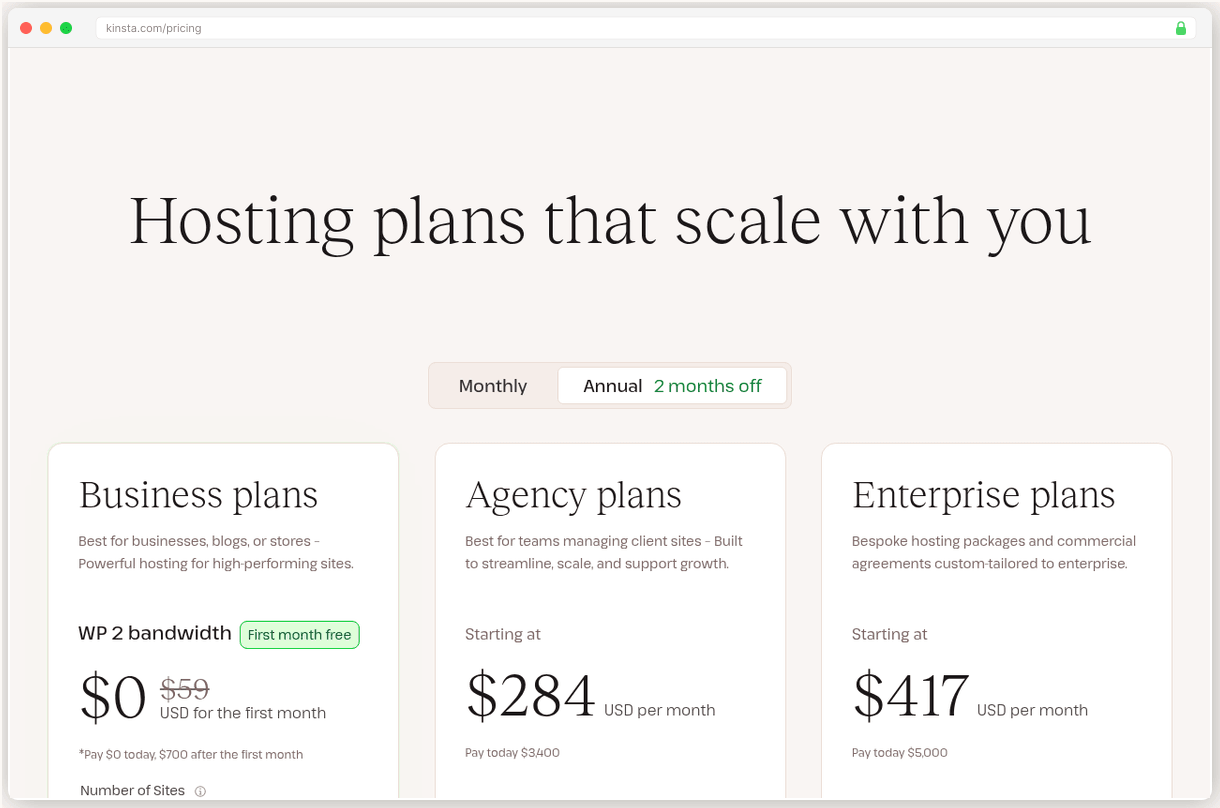
Kinsta uses flat pricing with no renewal surprises. $35/mo stays $35/mo. That’s refreshing after dealing with hosts that triple prices at renewal.
The Single 35k plan at $35/mo covers 35,000 monthly visits with 10 GB storage. Realistic for most small business sites, but you’ll outgrow it quickly with media heavy content.
WP 2 at $70/mo is the sweet spot for most users. Two WordPress sites, 125,000 monthly visits, and 20 GB storage. Still expensive compared to Cloudways at $22/mo for similar specs, but you’re paying for the managed experience.
Enterprise features kick in at WP 5 for $115/mo with 250,000 monthly visits. At this level, you’re competing with dedicated servers that cost half as much but require technical management.
Annual billing saves roughly 17%, bringing the entry plan down to about $29/mo. Hidden costs to watch: storage overages, premium add ons, and third party email hosting.
Who Should (and Shouldn’t) Use Kinsta
Pick Kinsta if your WordPress site generates revenue and slow load times cost you conversions. The performance difference is measurable and immediate. Also ideal if you need enterprise level support but lack in house WordPress expertise.
Pick Kinsta if you’re migrating from shared hosting and want zero technical headaches. Their migration service and managed infrastructure handle everything you’d normally worry about.
Skip Kinsta if you’re running a personal blog or hobby site. $35/mo for basic WordPress hosting makes no financial sense when quality alternatives start at $11/mo.
Skip Kinsta if you need multi-CMS flexibility or custom applications. The WordPress-only limitation is a deal breaker for agencies managing diverse client needs.
Bottom line? Kinsta is the best managed WordPress host for sites that can justify the premium. If your site makes money and speed matters, the performance gains pay for themselves through better user experience and conversion rates.
Full Comparison
#
Provider
Best For
Price
Rating
1
Kinsta
Top Pick
High traffic WordPress sites needing enterprise speed and support
All plans include 30-day money back guarantee. Annual billing saves ~17%.
Frequently Asked Questions
Is Kinsta worth the $35/mo starting price?
For high traffic WordPress sites, yes. You're paying for 120ms TTFB, 99.97% uptime, and WordPress expert support. But if you're running a small blog, cheaper alternatives like Cloudways at $11/mo might be better value.
How does Kinsta compare to WP Engine?
Kinsta scores 8.3/10 vs WP Engine's 7.5/10 on SwitchCut. Kinsta offers faster 120ms TTFB and includes Cloudflare Enterprise CDN, while WP Engine starts at $25/mo but has slower performance.
Can I host non-WordPress sites on Kinsta?
No. Kinsta is WordPress only hosting. You can't run Drupal, Joomla, or custom PHP applications. If you need multi-CMS support, consider Cloudways or traditional shared hosting.
Does Kinsta include email hosting?
No. You'll need a third party email service like Google Workspace or Microsoft 365. This adds $6-12/mo per user to your hosting costs.
What's Kinsta's actual uptime performance?
Kinsta delivers 99.97% measured uptime, exceeding their 99.9% SLA. Their G2 score is 4.8/5.0 from 1,414 reviews, ranking #1 in Web Hosting for 2026.
Are there hidden costs with Kinsta?
Yes. Redis caching costs $100/mo extra, premium staging is $20/mo, and additional storage is $2/GB/mo. The base plan includes only 10 GB storage.