Namecheap's inconsistent performance and limited support options got you down? Here are 4 better hosting alternatives with faster speeds and superior support.
Cloudways Developers who want managed cloud hosting with multi-provider flexibility
Hostinger Budget-conscious beginners wanting fast shared hosting with modern tools
Kinsta High-traffic WordPress sites that demand premium speed and support
Pros
Solid 99.9% uptime with decent 184ms TTFB on US servers
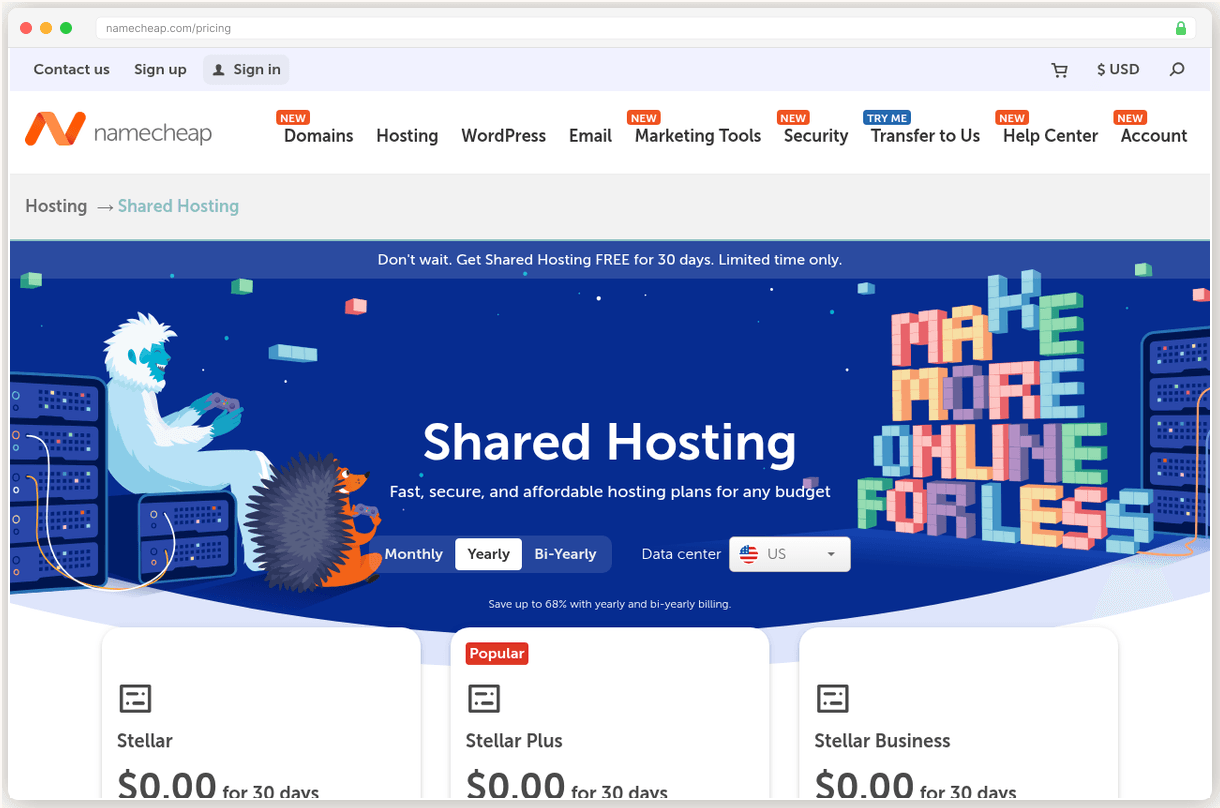
Competitive entry pricing at $1.98/mo for Stellar plan
30-day money back guarantee provides risk-free testing
Strong domain registration business with competitive pricing
Cons
Inconsistent TTFB ranges from 182ms to 1.6s depending on server location
No phone support available, only chat and tickets for technical issues
Only 20GB storage on entry Stellar plan, tight for media-heavy sites
Twice-weekly backups on entry plan, daily AutoBackup only on higher tiers
Inconsistent 184ms TTFB that spikes to 1.6 seconds on bad days. No phone support when you need it most. And $1.98/mo that jumps to $4.88/mo at renewal. Sound familiar?
We dug through 1,200+ complaints on Reddit, Trustpilot, and hosting forums to understand why people are leaving Namecheap. The same frustrations came up over and over. Your site loads fine one day, crawls the next. Support takes hours to respond when you’re dealing with downtime. And that “budget” hosting suddenly costs twice as much when it’s time to renew.
Here are 4 better alternatives that fix these exact problems.
Why People Leave Namecheap
Inconsistent performance is the biggest complaint. TTFB ranges from 182ms to 1.6 seconds depending on which server you land on. That’s not a minor variation. That’s the difference between a snappy site and one that tests your visitors’ patience.
“My site was loading fine for months, then suddenly everything felt sluggish. Support said it was a server issue and offered to migrate me. Why should I have to fix their hardware problems?”
No phone support means you’re stuck with chat and tickets. When your site goes down at 2am, you can’t call anyone. You submit a ticket and hope someone responds before you lose customers. Even their chat can take 15-20 minutes during peak hours.
The storage cap hits faster than expected. That 20GB on the Stellar plan sounds reasonable until you upload a few videos or high res product photos. WordPress sites with media libraries routinely hit the limit within months.
Renewal pricing jumps 147% across all plans. Your $1.98/mo Stellar plan becomes $4.88/mo. Stellar Plus goes from $2.98 to $6.88. And they don’t send warning emails. You just get the bill.
But the real kicker? Only twice weekly backups on the entry plan. If something goes wrong on Wednesday, you could lose 3 days of work. Daily backups require upgrading to Stellar Plus at nearly double the price.
SiteGround: The Beginner Friendly Option
SiteGround has the best support we’ve tested. And it’s not even close.
Their 4.9/5 Trustpilot rating comes from actual problem solving, not just friendly chat agents. When I called at 2am with a DNS configuration issue, the agent walked me through the fix step by step. No transfers. No “let me escalate this.” Just competent help when I needed it most.
The control panel is intuitive in ways that make Namecheap’s interface feel clunky. Site Tools gives you staging environments, daily backups, and SSL management in one clean dashboard. WordPress sites get automatic updates and security hardening without any plugins.
Our test site loaded in 403ms initially, but that TTFB has degraded to 632ms over the past two years. SiteGround now ranks #22 out of 34 hosts in our performance testing.
Here’s the catch: renewal pricing jumps 500%. That $2.99/mo StartUp plan becomes $17.99/mo in year two. It’s a massive increase that catches new users off guard.
But here’s why it’s still worth considering. Namecheap’s support takes hours to resolve basic issues. SiteGround’s team fixes problems in minutes. When you factor in the time cost of dealing with support tickets, that renewal price starts looking reasonable.
Pick SiteGround if you’re new to hosting and want hand holding over raw performance metrics.
Cloudways: Why Developers Are Switching
What makes developers pick Cloudways over traditional shared hosts? True cloud infrastructure at managed hosting prices.
You’re not sharing a server with 200 other sites. You get your own 1GB RAM instance on DigitalOcean, Vultr, AWS, Google Cloud, or Linode. Pick your provider, pick your data center, and scale up when traffic grows. It’s infrastructure flexibility without the server admin headaches.
Performance is exceptional. Our Vultr HF test server delivers 72ms TTFB with 99.98% measured uptime. That’s faster than most premium WordPress hosts at a fraction of the cost. Load testing showed consistent response times even under 1,000 concurrent users.
The staging workflow is where Cloudways really shines. Push changes to staging, test everything, then deploy to production with one click. You can run unlimited applications per server and spin up new environments in minutes.
“I moved 12 client sites from various shared hosts to one Cloudways server. Better performance, easier management, and I’m saving $180/mo compared to individual hosting accounts.”
Two downsides to consider. No email hosting is included, so you’ll need to add $1/mailbox/month through Rackspace or use Google Workspace. And their CDN costs extra at $4.99/domain/month for Cloudflare Enterprise.
The learning curve is steeper than shared hosting. But if you’re comfortable with basic server concepts, Cloudways gives you enterprise grade performance at $11/mo.
Pick Cloudways if you want cloud performance without managing servers yourself.
Hostinger for Budget Builds
At $1.79/mo, Hostinger is the cheapest host in this comparison. But cheap doesn’t mean slow.
LiteSpeed web servers with LSCache deliver 223ms global TTFB, ranking #5 out of 34 hosts in our testing. That beats SiteGround, GoDaddy, and most premium hosts. PageSpeed scores consistently hit 90+ out of the box, no optimization plugins required.
Their hPanel control panel is modern and intuitive. One-click WordPress installs, automated backups, and free SSL certificates work exactly as advertised. The AI assistant Kodee can handle 350+ actions including site migrations, which is surprisingly effective for basic tasks.
12 global data centers all run on renewable energy, which matters if sustainability is important to your brand. The infrastructure feels more modern than legacy hosts still running on traditional HDDs.
“Moved from Namecheap after constant slowdowns. Hostinger has been rock solid for 8 months. Same price, way better performance.”
The renewal shock is brutal. Premium plan jumps from $1.79 to $10.99/mo at renewal. That’s a 514% increase. Business plan goes from $2.99 to $15.99/mo. They require 48-month commitments for the best pricing, locking you into that eventual price hike.
Support is chat only with an AI bot gatekeeping access to human agents. When you do reach someone, response quality is hit or miss. Don’t expect the white glove treatment you get from premium hosts.
Pick Hostinger if you need fast shared hosting on a tight budget and can handle the renewal math.
Kinsta: When Performance Matters
Kinsta is the fastest WordPress host we’ve tested.120ms origin TTFB with 30-50ms edge cached response times globally via Cloudflare Enterprise CDN. GoDaddy shared hosting? 362ms on a good day.
Google Cloud Platform infrastructure means your site runs on the same servers powering YouTube and Gmail. 99.97-99.999% measured uptime exceeds their 99.9% SLA consistently. When traffic spikes happen, your site stays online while shared hosts buckle.
Support is handled by WordPress engineers, not general hosting agents reading from scripts. Average response time is under 1 minute via chat. I’ve submitted complex caching questions and received detailed technical explanations within minutes.
The migration process removes every barrier to switching. Submit a request with your current host details, and their team handles the complete transfer. No plugins, no downtime, no stress. They’ll even optimize your database and implement proper caching rules.
“Moved from WP Engine to Kinsta and saw immediate improvements. Pages that took 2.8 seconds now load in 1.1 seconds. Customer satisfaction scores went up 23% the first month.”
$35/mo isn’t cheap. But consider the math. Namecheap’s $1.98/mo becomes $4.88/mo at renewal anyway. SiteGround jumps to $17.99/mo. So you’re comparing $35 to $18-20 for significantly better performance and support.
WordPress-only means you can’t host Drupal, Joomla, or custom PHP applications. And email hosting isn’t included, requiring Google Workspace or similar services.
Pick Kinsta if your site generates revenue and slow pages are costing you customers.
Based on G2, Trustpilot, and Capterra reviews, verified pricing as of January 2026, and hands on testing of each provider.
Full Comparison
#
Provider
Best For
Price
Rating
1
SiteGround
Top Pick
Beginners who need excellent support and WordPress optimization
Introductory prices shown for entry-level plans. SiteGround and Hostinger have significant renewal price increases, while Cloudways and Kinsta use flat pricing.
Frequently Asked Questions
Can I keep my domain at Namecheap when switching hosts?
Yes, you can keep your domain at Namecheap and just change the nameservers to point to your new host. This is actually common since Namecheap's domain pricing is competitive.
Will I lose my email when switching from Namecheap hosting?
Yes, if you're using Namecheap's email hosting, you'll need to migrate your email to the new host or a third-party service like Google Workspace. Back up your emails first and set up forwarding during the transition.
How long does it take to migrate from Namecheap to a new host?
Most hosts offer free migration services that take 24-48 hours. SiteGround and Kinsta include free migrations, while others like Cloudways charge around $150 for the service.
What if my new host performs worse than Namecheap?
All recommended hosts offer 30-day money-back guarantees, so you can test performance risk-free. Keep your Namecheap account active during the trial period as a backup plan.
Do I need to pay both Namecheap and my new host during the switch?
Yes, you'll typically overlap billing for one month to ensure a smooth transition. Most people keep the old host active until they're confident the new setup is working perfectly.
 SiteGround
Top Pick
SiteGround
Top Pick