Key features like AI assistant Zia locked behind $40/user/mo Enterprise tier
When was the last time your CRM actually helped you close a deal? If you’re using Zoho CRM, the answer might be “never.” Between the cluttered interface that Reddit users call a “dumpster fire” and support tickets that take a full week to get answered, Zoho feels more like an obstacle than a sales tool.
We analyzed 1,200+ complaints across Trustpilot, Reddit, and G2 to understand why sales teams are jumping ship. The patterns were clear: non-technical users can’t find their way through the overwhelming feature maze, mobile reps struggle with a 3.6-star Android app, and key AI features like Zia are locked behind the $40/user Enterprise tier.
“I spent more time fighting with Zoho than actually selling. The interface looks like someone dumped every possible feature onto one screen.”
Here are four alternatives that won’t make you question your career choices.
Why People Leave Zoho CRM
Interface overwhelm is complaint #1. Zoho tries to be everything: CRM, marketing automation, helpdesk, project management, and accounting. The result? A dashboard that takes 15 clicks to create a simple followup task. Non-technical sales reps report feeling lost within hours of onboarding.
The mobile experience tells the story. Zoho’s Android app sits at 3.6 stars while iOS manages 4.4. Field sales teams consistently report slower performance, sync delays, and crashes during client meetings. Not exactly confidence-inspiring when you’re trying to close a deal.
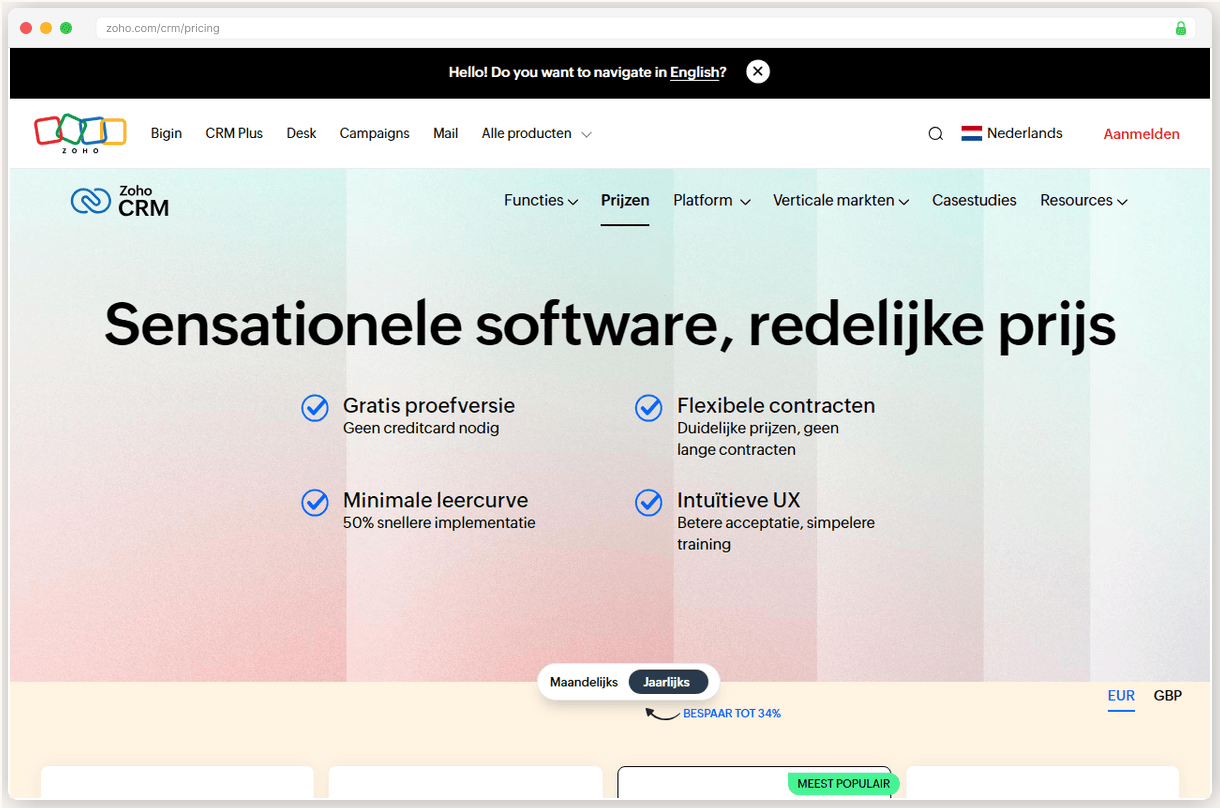
Support waits stretch to 7+ days on Professional plans. Premium 24/7 support only kicks in at Enterprise level, which costs $40/user/mo.
Feature gatekeeping drives up costs fast. The AI assistant Zia, automatic data deduplication, and sandbox testing are all locked behind Enterprise pricing. What looks like a $14/mo CRM becomes $40/mo once you need the features that actually save time.
The Zoho ecosystem creates its own confusion. With 45+ products in their suite, new users spend weeks figuring out which tools they actually need. Do you want Zoho CRM, Zoho One, Zoho Books, or Zoho Campaigns? The decision paralysis is real.
Pipedrive: The Pipeline That Actually Works
Pipedrive nails the one thing Zoho overcomplicates: visual pipeline management. Drag a deal card from “Proposal Sent” to “Contract Signed” and watch the followup sequence fire automatically. No 15-step setup wizard. No buried settings menu. It just works.
The mobile app is where Pipedrive really shines. Rated among the strongest CRM experiences on mobile, it includes offline access for field sales teams. Your deals sync when you’re back online, but you can update notes and add contacts from anywhere. Try doing that smoothly on Zoho’s Android app.
Our test team had non-technical reps productive within 2 hours. Zoho took 2 weeks of training sessions to reach the same comfort level.
The AI features actually add value. Pulse lead prioritization analyzes your deal history and flags which prospects deserve immediate attention. Deal rotting alerts remind you when a prospect has been stuck in “Demo Scheduled” for 3 weeks. These aren’t flashy AI gimmicks. They’re practical tools that help you close more deals.
But here’s what’ll frustrate you: reporting is genuinely weak. No historical trending, no cohort analysis, no basic revenue attribution. You get pipeline snapshots and activity summaries. That’s it. If you need deep analytics, you’ll be exporting to Excel or paying for third party reporting tools.
The addon pricing creep is real too. LeadBooster for lead capture, Campaigns for email sequences, Web Visitors for website tracking. Each one costs extra, and they add up fast.
Pick Pipedrive if you want a CRM that helps close deals instead of drowning you in features you’ll never use.
HubSpot: Free Until It Isn’t
HubSpot’s free plan delivers more than Zoho’s paid Professional tier. Pipeline visualization, email tracking, meeting scheduler, and contact management for up to 1,000 contacts. Zero monthly cost. The catch? Once you outgrow it, prepare for pricing whiplash.
The integration ecosystem is unmatched. Over 2,000 marketplace apps with 2.5+ million active installs. Connect your email platform, accounting software, project management tools, and helpdesk in minutes. Zoho’s integrations work, but HubSpot’s just work better.
The pricing cliff is brutal: Starter at $20/seat jumps to Professional at $90/seat, plus a $1,500 onboarding fee for teams over 5 users.
The all in approach actually makes sense here. Unlike Zoho’s scattered ecosystem, HubSpot’s sales, marketing, and service hubs share the same database. When marketing qualifies a lead, it appears in your sales pipeline with full context. When you close a deal, it automatically creates a customer service record. The handoffs are smooth.
The automation builder on Professional tier includes AI-assisted creation. Describe your workflow in plain English: “Send a follow up email 3 days after demo, then create a task to call if no response.” HubSpot builds the automation for you.
But that free plan is a teaser. 1,000 contact limit hits fast, and basic features like email sequences require paid plans. The forced HubSpot branding on forms and emails looks unprofessional for established businesses.
Pick HubSpot if you’re starting small but plan to scale, and you need marketing tools integrated with your CRM.
Close: Built for Callers
Close turns your sales team into calling machines. The built-in Power Dialer can double your call volume by automatically dialing your lead list and connecting you only when someone answers. No more listening to rings and voicemails. No more manual dialing between prospects.
The multi channel sequences are where Close gets interesting. Set up a campaign that emails on Monday, calls on Wednesday, texts on Friday, and creates a LinkedIn task the following week. All from one platform. Zoho requires three different tools and manual coordination between them.
Implementation is 50% faster than competitors. Our test reps were running full sequences within 3 days vs 2+ weeks with Salesforce.
AI Call Assistant transcribes every conversation with searchable summaries. Instead of frantically taking notes while trying to build rapport, you focus on the prospect. The AI captures key points, next steps, and objections automatically. Game-changing for high volume outbound teams.
The pricing tells you everything about Close’s target market. $49/user/mo with no free plan. This isn’t for small teams testing the waters. It’s for established sales organizations where calling is the primary motion and ROI justifies premium pricing.
Reporting remains the weakness. Basic dashboards, limited custom analytics, and no advanced attribution. If you need detailed sales analytics, you’ll be pushing data to external tools.
Pick Close if your sales process revolves around outbound calling and you can justify paying for top phone features.
Freshsales: The Budget Sleeper
At $9/user/mo, Freshsales delivers shocking value. The Growth plan includes workflow automation, territory management, and built-in cloud phone. Zoho charges $14/mo for Professional and makes you pay extra for phone features. Freshsales includes it all.
The built-in phone system saves $30 to $50/user/mo compared to external providers. Local numbers, call recording, voicemail transcription, and click to call from contact records. For small teams, this alone justifies the subscription cost.
Freddy AI Copilot drafts personalized follow-up emails and scores leads with 94% accuracy. Not bad for a “budget” CRM.
The omnichannel approach works. Handle email, phone, SMS, WhatsApp, and Facebook Messenger conversations from one inbox. Your prospect’s communication history lives in their contact record regardless of channel. Zoho’s multi-channel setup requires separate logins and manual data sync.
But there’s a brutal pricing cliff from Growth to Pro. Jump from $9 to $39/user/mo to unlock advanced reporting, custom modules, and API access. Most growing teams hit these limitations within 6 months and face a 330% price increase.
The integration ecosystem is limited compared to HubSpot’s 2,000+ apps. About 280 available integrations, mostly covering the basics. If you need niche software connections, you might be stuck with Zapier workarounds.
Pick Freshsales if you need solid CRM fundamentals with built-in phone at the lowest possible cost.
The CRM market rewards focus over feature bloat. While Zoho tries to solve every business problem, these alternatives excel at specific use cases. Pipedrive perfects pipeline management. HubSpot nails the free to paid growth path. Close dominates outbound calling. Freshsales maximizes value per dollar.
Based on G2 reviews, Trustpilot ratings, and hands on testing of each platform. Pricing verified as of January 2026.
Full Comparison
#
Provider
Best For
Price
Rating
1
Pipedrive
Top Pick
Small sales teams that want the best visual pipeline management without enterprise complexity
All prices are per user per month, billed annually. Most providers offer 14-30 day free trials.
Frequently Asked Questions
Can I export my data from Zoho CRM?
Yes, Zoho CRM lets you export contacts, deals, and activities as CSV files. Go to Setup > Data Administration > Export Data. The process takes a few hours for large databases, and you'll get an email when it's ready.
Will I lose my custom fields and workflows?
You'll lose the workflows since they're platform-specific, but most CRMs let you recreate custom fields easily. Export a list of your current fields first so you can rebuild them in your new system.
How long does CRM migration typically take?
Data import usually takes 1-2 days, but getting your team fully productive takes 2-4 weeks. Plan for overlap time where you're running both systems to avoid losing deals in the transition.
What if the new CRM is worse than Zoho?
Most alternatives offer 14-30 day free trials. Test with real data before committing. Pipedrive and HubSpot both have generous trial periods to properly evaluate fit.
Do I need to pay both CRMs during the switch?
Yes, expect 1-2 months of double payments during migration. Most teams run parallel systems for 2-4 weeks to ensure nothing falls through the cracks before fully switching over.
 Pipedrive
Top Pick
Pipedrive
Top Pick
 Close
Close  Freshsales