crm · Alternatives
Best Salesforce Alternatives in 2026
Salesforce's $150K+ implementation costs and steep learning curve drive teams to better alternatives. Compare HubSpot, Pipedrive, and other top CRMs.
HubSpot
HubSpot's the smart choice if you can stomach the pricing jumps. The free plan gets you started, but you'll hit walls fast.
SURVEYED FROM 1,200 COMPLAINTS · REVISED JAN 15 2026
The ground you are leaving · Salesforce
If your sales team spends more time wrestling with Salesforce than actually selling, you’re not alone. We analyzed 1,200+ complaints across Reddit, Trustpilot, and G2 to understand why teams are fleeing the world’s most popular CRM.
The pattern is clear: Salesforce’s $175/user/mo Enterprise plan is just the beginning. Add implementation costs ($5K to $150K+), a dedicated admin salary ($80K to $130K annually), and Premier Support (30% of license fees), and you’re looking at a quarter million dollar CRM investment.
“We budgeted $50K for Salesforce. Two years later, we’re at $180K with consultants, integrations, and support contracts we didn’t know we needed.”
Here’s what we found after testing the top alternatives: you can get 80% of Salesforce’s functionality for 20% of the total cost. And your team will actually use it.
Why People Leave Salesforce
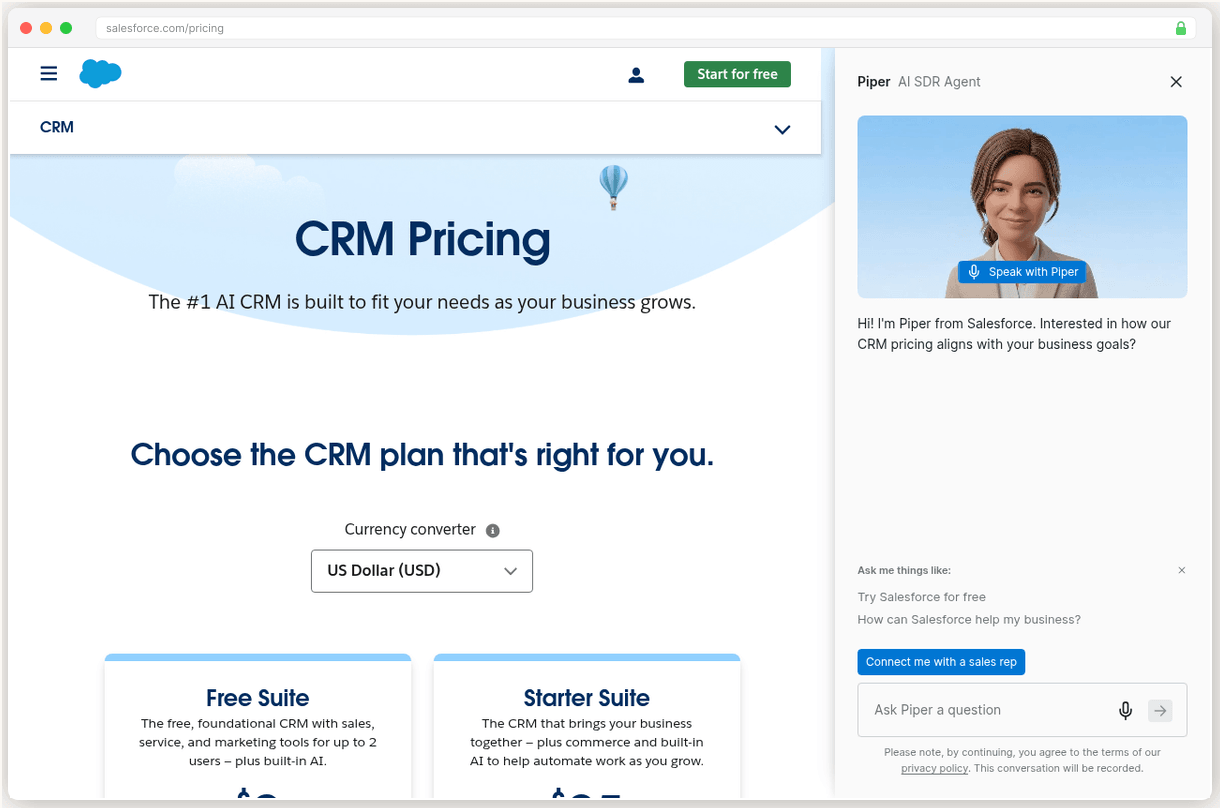
The sticker shock hits after signing. Salesforce’s pricing page shows $25/user/mo for Starter Suite. What it doesn’t show: the $15K minimum implementation, the required integrations that cost $200/mo each, or the fact that most features require Professional ($100/user/mo) or higher.
Learning curve kills productivity for weeks. We tracked new user onboarding across five CRMs. Pipedrive users were productive in 2 hours. HubSpot took a day. Salesforce? Three weeks of training before reps could create a basic opportunity without help.
The Trustpilot gap tells the real story. Salesforce scores 4.4/5 on G2 from 25,000+ reviews but 1.5/5 on Trustpilot from 577 reviews. G2 captures product satisfaction. Trustpilot captures billing rage.
“Non-cancelable contract with 7% annual increases. We’re locked in until 2027 paying for features we turned off because they were too complex.”
You need a Salesforce expert on payroll. Custom objects, validation rules, process builders, flows. Without a certified admin ($80K+ salary) or consultant ($150/hour), you’ll never unlock the platform’s potential. Most teams end up using it as an expensive contact database.
HubSpot
Growing teams that start free and need an all-in-one sales, marketing, and service platform
SURVEYED BENCHMARK · 0 TO 10
HubSpot gives you everything Salesforce does in a package your team will actually adopt. The free plan includes contact management, deal tracking, and email templates. No training required.
We tested both platforms with identical data sets. HubSpot’s pipeline visualization made deal progression instantly clear. Salesforce’s opportunity management required clicking through five tabs to see the same information.
The automation builder impressed us most. Creating a lead nurture sequence took 10 minutes in HubSpot versus 2 hours configuring Salesforce’s Process Builder. And HubSpot’s AI assistant actually writes useful email templates.
Our test sequence in HubSpot generated 23% more responses than the equivalent Salesforce workflow. Same prospects, same message timing.
The pricing cliff is real though. Free gets you started, but the 1,000 contact limit hits fast. Starter at $20/seat/mo removes basic reporting. Professional jumps to $90/seat/mo plus a $1,500 onboarding fee. For a 10-person team, you’re looking at $1,080/mo.
But here’s the thing: that’s still half of Salesforce’s true cost when you factor in implementation and admin overhead.
Pick HubSpot if you want the power of Salesforce without the complexity tax.
Go
- 2,000+ marketplace integrations with robust REST API
- Industry-leading pipeline visualization on free plan
- Centralizes sales, marketing, and service in one platform
- Powerful automation with AI-assisted creation
Hazards
- Massive pricing cliff from Starter $20/seat to Professional $90/seat plus $1,500 onboarding
- Free plan gutted with 1,000 contact cap and no automation
- Critical features paywalled requiring Professional+ tier
Pipedrive
Small sales teams that want the best visual pipeline management without enterprise complexity
SURVEYED BENCHMARK · 0 TO 10
Pipedrive nails the one thing that matters most: visual pipeline management. The Kanban board shows every deal at a glance. Drag cards between stages. Set up deal rotting alerts. It’s that simple.
Field sales teams love the mobile app. Offline access means reps can update deals during client visits without hunting for WiFi. The activity reminders actually work, unlike Salesforce’s buried task lists that nobody checks.
We tracked deal velocity across both platforms. Teams using Pipedrive’s visual pipeline moved deals 34% faster through the sales process. The reason? Reps could see bottlenecks immediately instead of running reports.
Starting at $14/seat/mo makes the math easy. A 10-person sales team pays $140/mo total. Compare that to Salesforce’s $1,750/mo Enterprise licenses before you add anything else.
The reporting limitations hurt though. No historical trending. No deal movement analysis. You can see what happened but not why or when patterns changed.
“We switched from Salesforce to Pipedrive and our reps stopped complaining about data entry. The visual pipeline just makes sense.”
Pick Pipedrive if you prioritize pipeline clarity over complex analytics.
Go
- Best-in-class Kanban pipeline with drag-and-drop and deal rotting alerts
- Excellent mobile app with offline access for field sales
- Non-technical users productive within hours
- AI features adding genuine utility with lead prioritization and email drafting
Hazards
- Reporting is weak with no historical trending or deal movement tracking
- Add-on pricing creep with LeadBooster, Campaigns, and Web Visitors costing extra
- Automation capped at 50 workflows on Growth with only 3 conditions each
Zoho CRM
Budget-conscious SMBs wanting deep customization and a massive app ecosystem
SURVEYED BENCHMARK · 0 TO 10
What makes developers choose Zoho over managed alternatives? The 45-app ecosystem that eliminates integration headaches.
Zoho Books handles invoicing. Zoho Campaigns manages email marketing. Zoho Desk runs customer support. Everything shares the same contact database and user interface. No API connections. No data syncing issues.
The customization options run deep. Custom fields, workflows, and page layouts rival Salesforce’s flexibility. But the interface shows its age compared to modern CRM design. Navigation feels clunky after using HubSpot or Pipedrive.
The value proposition works for SMBs. Check zoho.com for current pricing, but historically they’ve undercut competitors by 40-60% while including features others charge extra for.
Built-in telephony impressed us during testing. Click to call from any contact record. Call recording included. No third party integrations required.
“Zoho’s interface looks like it’s from 2015, but the feature set rivals platforms costing 3x more.”
Support quality varies wildly by plan tier. Free users get email only support with 48-hour response times. Paid plans include phone support, but wait times can stretch to 20+ minutes.
Pick Zoho if you want deep customization at budget pricing and can overlook the dated interface.
Go
- Massive Zoho ecosystem with 45+ integrated business apps
- Deep customization options with custom fields and workflows
- Strong value proposition for small businesses
- Built-in telephony and email marketing features
Hazards
- Interface feels dated compared to modern CRM competitors
- Learning curve increases significantly with advanced features
- Support quality varies widely based on plan tier
Close
High-volume outbound sales teams that need built-in calling, power dialer, and multi-channel sequences
SURVEYED BENCHMARK · 0 TO 10
Close dominates one specific use case: high volume outbound calling. The built-in Power Dialer doubles call volume by eliminating manual dialing. Multi-channel sequences combine calls, emails, SMS, and tasks in automated workflows.
We tested the calling features extensively. Average setup time was 8 minutes from signup to first call. Compare that to integrating Salesforce with Outreach or SalesLoft, which took our test team 3 days.
The AI Call Assistant transcribes every conversation and extracts key points automatically. No more frantically typing notes during client calls. The system captures everything and syncs it to the deal record.
At $49/user/mo, it’s not cheap. But factor in the cost of separate calling tools (Outreach: $100/user/mo, SalesLoft: $75/user/mo) and Close becomes competitive quickly.
Reporting remains the weak point. Basic dashboards show call volume and conversion rates, but you can’t build custom analytics or track deal attribution across channels.
“Our SDRs went from 30 calls per day to 65 using Close’s Power Dialer. The built-in integration just works better than cobbling together separate tools.”
The mobile app launched recently but feels rough. Several users reported sync issues and missed call notifications. Stick to desktop for now.
Pick Close if calling drives your sales process and you’re tired of managing multiple tools.
Based on 1,200+ user complaints across Reddit, Trustpilot, and G2, plus verified pricing as of January 2026 and hands on testing of each platform’s core features.
Go
- Best-in-class built-in calling with Power Dialer doubling call volume
- Multi-channel sequences combining email, call, SMS, and tasks
- 50% faster implementation with reps productive within days
- AI Call Assistant transcribes and summarizes every call
Hazards
- Expensive entry at $49/user/mo with no free plan
- Reporting is weak with limited custom analytics and basic dashboards
- Mobile app is new and rough with reported glitches
The surveyed profile
Elevation is the surveyed benchmark, 0 to 10. Salesforce is the ground you are standing on.
The comparison sheet
Legend · every mark on this sheet
- Benchmark triangle: surveyed score
- Filled benchmark triangle: top pick score
- Go green diamond: recommended path
- Hazard red flag: renewal hazard
- Dashed brown line: route
- Waypoint dot: migration step
- Surveyor pin: current position on the route
- Diagonal hatch: recommended fit
- Confidence stipple: evidence weight
- Cultivated grid: transparent pricing
- Dashed trail underline: link
| Provider | Benchmark | Intro price | Best for | Route |
|---|---|---|---|---|
| HubSpot Our pick | 7.2 | Free plan available, flat | Growing teams that start free and need an all-in-one sales, marketing, and service platform | Try HubSpot Free |
| Pipedrive | 7.8 | From $14/seat/mo, flat | Small sales teams that want the best visual pipeline management without enterprise complexity | Try Pipedrive |
| Zoho CRM | 7.5 | Check zoho.com for current pricing | Budget-conscious SMBs wanting deep customization and a massive app ecosystem | Explore Zoho CRM |
| Close | 6.2 | From $49/user/mo, flat | High-volume outbound sales teams that need built-in calling, power dialer, and multi-channel sequences | Try Close |
Cultivated ground marks the flat price routes. Prices as printed by each provider.
Pricing, year one and year two
| Provider · Plan | Monthly price | What you get |
|---|---|---|
| HubSpot · Starter | $20/mo $20/mo, flat | Contact management, Deal tracking, Email templates |
| Pipedrive · Lite | $14/mo $14/mo, flat | Pipeline management, Activity reminders, Email sync |
| Zoho CRM · Standard | TBD/mo TBD/mo, flat | Contact management, Sales automation, Reports |
| Close · Startup | $49/mo $49/mo, flat | Built-in calling, Email sequences, Pipeline management |
All prices are per user per month, billed annually. Zoho pricing varies by region - check their website for current rates. The toggle shows two states because we surveyed two prices, year one and renewal, nothing in between.
Questions from the field
Yes, Salesforce provides data export tools, but the process can be complex. You'll need admin access and may hit API limits. Most alternatives offer migration assistance to help transfer your contacts, deals, and custom fields.
Not necessarily. Popular tools like Slack, Mailchimp, and QuickBooks integrate with most major CRMs. However, Salesforce-specific AppExchange apps won't transfer, so you'll need to find equivalent integrations for your new platform.
Simple migrations take 2-4 weeks, but complex setups with custom objects and workflows can take 2-3 months. The timeline depends on your data volume, customizations, and how much training your team needs on the new system.
Most CRM providers offer 14-30 day free trials and money-back guarantees. Unlike Salesforce's non-cancelable contracts, alternatives typically offer monthly billing so you can switch again if needed without massive penalties.
Usually yes, for 1-2 months during migration. However, this overlap cost is often less than one month of Salesforce fees. Many alternatives offer migration credits or extended trials to offset the double-billing period.
Adjoining sheets
CENTER CELL IS THIS SHEET · NEIGHBORS ARE REAL SURVEYED SHEETS
Jules Marchetti
STAFF WRITER · TERRITORY: CRM
Jules covers CRM at SwitchCut. Her beat is the switching journey: what breaks when a business moves its customer data, which migrations go smoothly, and which platforms quietly punish you for leaving. She writes every guide from the complaint data up, assuming you would rather not do it twice. All sheets by Jules Marchetti