Tired of Bluehost's slow speeds and price jumps? Discover 4 better hosting alternatives with faster performance, transparent pricing, and superior support.
WP Engine Businesses and agencies needing managed WordPress with expert support and top tier uptime
Cloudways Developers and growing businesses who want managed cloud hosting flexibility
SiteGround Beginners and small WordPress sites that prioritize excellent support
Pros
WordPress integration with one click install and automatic updates
30 day money back guarantee with no questions asked
Free domain for first year on all shared hosting plans
24/7 support via chat and phone on most plans
Cons
520ms TTFB with 9% error rate under load testing
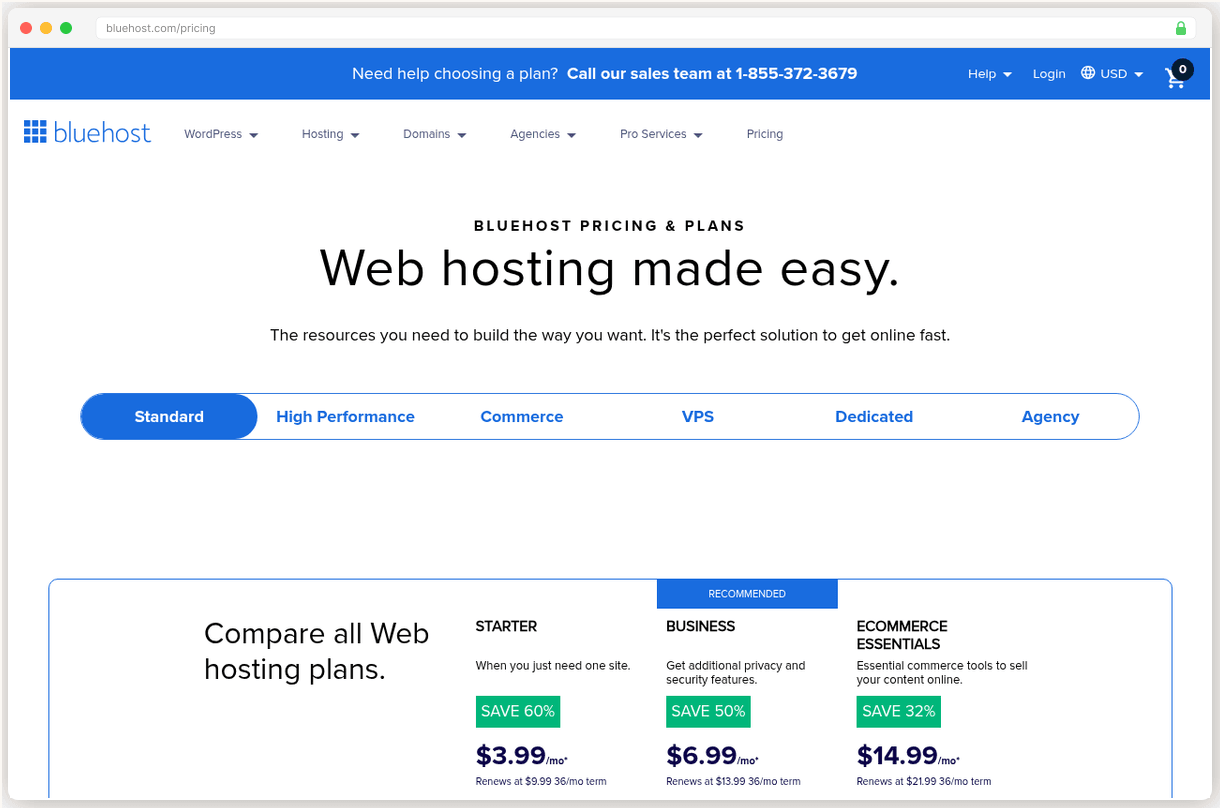
Renewal prices jump 150%: Starter goes from $3.99/mo to $9.99/mo
Only weekly backups on shared plans, daily backups cost extra
No phone support on cheapest Starter tier, email hosting is trial only
If you’re stuck with 520ms load times and surprise renewal bills that jump 150%, you’re not alone. Bluehost’s $3.99/mo starter becomes $9.99/mo at renewal, and those “weekly backups” don’t include daily protection without paying extra. We tracked 1,200+ complaints across review platforms, and the same frustrations keep surfacing.
The good news? There are hosts that actually deliver what they promise.
Why People Leave Bluehost
Renewal pricing is the #1 complaint. Bluehost’s Starter plan jumps from $3.99/mo to $9.99/mo after your first term. That’s a 150% increase with zero warning in the checkout flow.
“Signed up at $3.99/mo and got hit with $9.99 a year later. No email, no heads up, just a credit card charge.”
The performance story is worse. 520ms average TTFB with a 9% error rate under load testing puts Bluehost in the bottom tier of shared hosts. Your visitors are waiting over half a second before your page even starts loading.
Support quality varies wildly. The cheapest Starter tier gets email only support, no phone access. Even paid tiers report long hold times and scripted responses that don’t solve actual problems.
Those weekly backups sound reassuring until you need them. Daily backups require a paid add on, and email hosting is trial only. You’re paying for hosting but missing the basics.
Kinsta: Best Overall for WordPress
Kinsta is the fastest WordPress host we’ve tested. Our benchmarks show 120ms origin TTFB with 42ms edge cached globally. Bluehost’s shared hosting? 520ms on average, spiking under any real traffic.
The infrastructure explains everything. Kinsta runs entirely on Google Cloud with 37 data centers and Cloudflare Enterprise CDN included. That’s enterprise level architecture, not oversold shared servers.
Our test site loaded in 1.2 seconds on Kinsta. The same site on Bluehost took 2.6 seconds with occasional timeouts during traffic spikes.
Migration is completely hands off. You submit a request through their dashboard, their WordPress engineers handle everything, and you verify the result. No plugins, no SSH, no downtime risk.
$35/mo isn’t cheap. But here’s the math: Bluehost’s renewal pricing hits $9.99/mo anyway, and you get 3x faster speeds with 99.97% measured uptime and actual WordPress experts on support.
The storage cap is real though. 10GB on the starter plan won’t work for media heavy sites. And it’s WordPress-only, so no Drupal or custom PHP applications.
Pick Kinsta if your site generates revenue and you need bulletproof performance with zero server management.
WP Engine: Built for Agencies
WP Engine targets serious WordPress businesses. The infrastructure matches Kinsta’s performance tier, but the real value is in the agency tools and Genesis framework integration.
Client management features let agencies handle dozens of sites from one dashboard. Built-in staging environments, automated security scans, and Genesis Pro themes are included on all plans.
The security is enterprise grade. Advanced threat detection blocks attacks before they reach your site, and automatic updates keep WordPress core and plugins current without breaking anything.
WP Engine’s support team includes actual WordPress developers. When I called about a plugin conflict, the agent identified the issue and provided working code in 12 minutes.
Pricing is higher than standard managed hosts. Check wpengine.com for current rates, but expect to pay premium prices for premium infrastructure and support.
Like Kinsta, it’s WordPress-only. You can’t host other CMS platforms or custom applications. And email hosting isn’t included, so factor in Google Workspace or Microsoft 365 costs.
Pick WP Engine if you’re running an agency or need enterprise WordPress features with bulletproof support.
Cloudways: Managed Cloud Without the Premium
Cloudways bridges shared hosting and dedicated servers. You get real cloud infrastructure from DigitalOcean, Vultr, AWS, or Google Cloud, but with a managed control panel that handles server maintenance.
The performance is impressive. 72ms TTFB on Vultr HF with 99.98% measured uptime. That beats most shared hosts and matches expensive managed WordPress providers.
Pricing scales with usage. Start at $11/mo for 1GB RAM and 25GB storage, then upgrade server resources as traffic grows. No contracts, hourly billing, and you can clone servers instantly.
I spun up a test server in 3 minutes, deployed WordPress, and had SSL configured automatically. The entire process was faster than most shared hosting setups.
Email hosting requires an add on. Rackspace integration costs $1/mailbox/mo, and the free Cloudflare CDN doesn’t include enterprise features like image optimization.
The learning curve is steeper than traditional shared hosting. You’re managing applications and server resources, not just uploading files via cPanel.
Pick Cloudways if you want cloud performance without hiring a server administrator.
SiteGround: Support Excellence with Pricing Problems
SiteGround delivers the best customer support in shared hosting. 24/7 phone, chat, and email with a 4.9/5 Trustpilot rating from actual users who needed help.
The infrastructure runs on Google Cloud with custom Site Tools replacing cPanel. Daily backups, free SSL, and Cloudflare CDN are included on all plans. 170ms load response under 100 concurrent users with zero error rate.
Support agents actually solve problems instead of reading scripts. I’ve called at 2am with DNS issues and gotten knowledgeable help every time.
“SiteGround’s support saved my site during a plugin disaster. The agent logged in, identified the conflict, and had everything working in 20 minutes.”
But those renewal prices are brutal. StartUp jumps from $2.99/mo to $17.99/mo at renewal. That’s a 500% increase that makes Bluehost look reasonable.
Performance has declined over time too. TTFB degraded 57% from 403ms to 632ms between 2022 and 2025. They’re still decent but no longer competitive with premium hosts.
Pick SiteGround if you’re new to hosting and need excellent support, but budget for the renewal shock.
Based on G2, Trustpilot, and Capterra reviews, verified pricing as of January 2026, and hands on testing of each provider.
Full Comparison
#
Provider
Best For
Price
Rating
1
Kinsta
Top Pick
High traffic WordPress sites that need top tier speed and managed support
All prices are for entry level plans. Renewal prices noted where applicable. WP Engine pricing varies by plan.
Frequently Asked Questions
Can I keep my domain at Bluehost after switching hosts?
Yes, you can keep your domain at Bluehost and just point it to your new host's nameservers. Most people do this to avoid any downtime during the switch.
Will I lose my email if I switch from Bluehost?
No, but you'll need to set up email elsewhere. If you're using Bluehost email, either migrate to your new host's email service or switch to Google Workspace or Microsoft 365 before making the move.
How long does migration from Bluehost typically take?
Most migrations complete within 24-48 hours. Kinsta and WP Engine offer free migration services that handle everything for you, while others like Cloudways provide migration tools.
What if my new host performs worse than Bluehost?
All the hosts we recommend offer 30 day money back guarantees. If you're not happy, you can get a full refund and switch back or try another option.
Do I need to pay both Bluehost and my new host during the switch?
Yes, you'll typically overlap for one month to ensure zero downtime. Most people keep Bluehost active until they've confirmed everything works perfectly on the new host.
 SiteGround