Based on 2,847 real Pipedrive user reports across Reddit, Trustpilot, and forums
Pros
Best in class Kanban pipeline with drag and drop deal management and deal rotting alerts
Mobile app rated among strongest CRM experiences with offline access for field sales
Non technical users productive within hours, 4.5/5 ease of use from 3,041 Capterra reviews
AI features like Pulse lead prioritization and email drafting add genuine utility in 2026
Visual activity based selling approach helps teams focus on next actions
Cons
Reporting is the #1 complaint with no historical trending and basic analytics only
Add on pricing creep with LeadBooster, Campaigns, Web Visitors all costing extra
Automation capped at 50 workflows on Growth plan with only 3 if/else conditions each
No free plan and $14 Lite tier lacks two way email sync and automation builder
Pipedrive is the CRM for teams that think in pipelines, not spreadsheets. It scores 4.5/5 on Capterra from over 3,000 reviews, with the best visual pipeline management we’ve tested. But here’s the catch: reporting is genuinely terrible, and add ons will double your costs.
If you’re a small sales team that lives in deal stages and wants reps productive in hours, not weeks, Pipedrive works. If you need data analysis or budget transparency, look elsewhere.
What Pipedrive Gets Right
The Kanban pipeline is genuinely top notch. Drag a deal from “Proposal” to “Negotiation” and watch related tasks update automatically. Deal rotting alerts pop up when prospects go cold. Activity based selling keeps everyone focused on next actions, not just numbers.
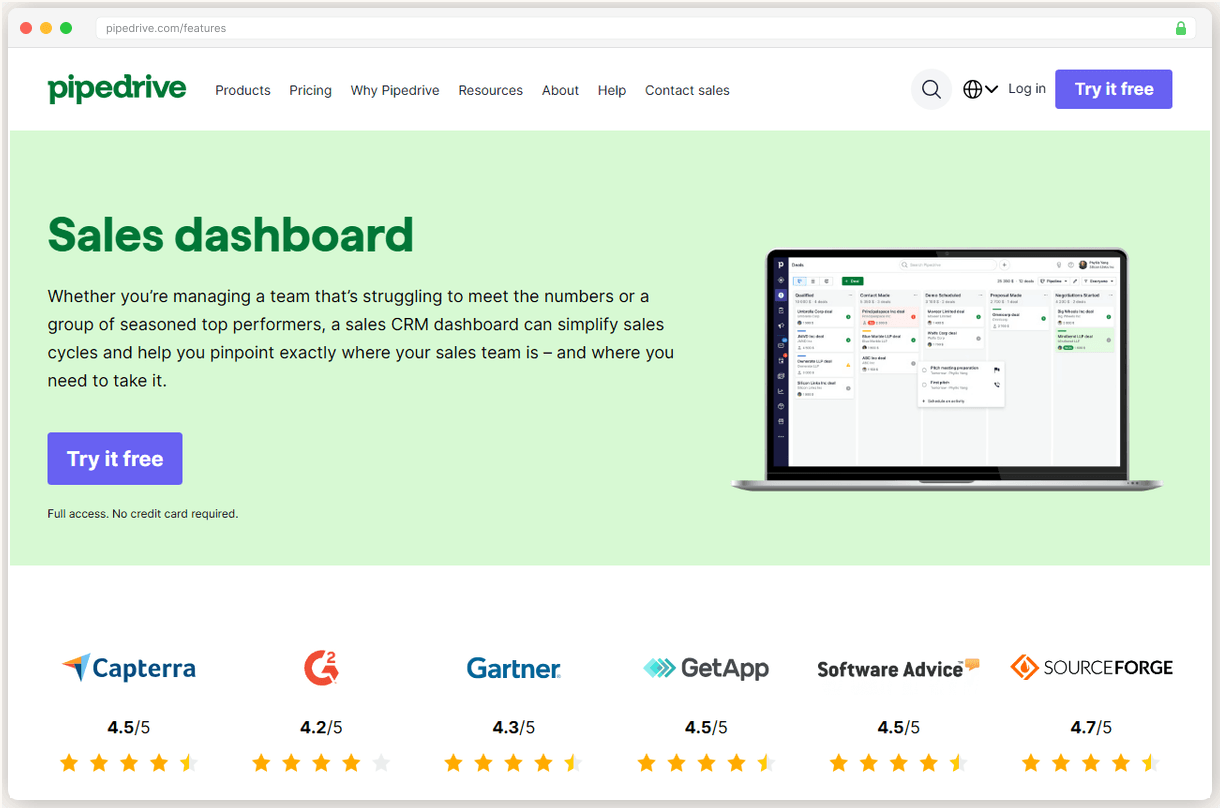
Non-technical reps love this simplicity. Capterra rates Pipedrive’s ease of use at 4.5/5 from 3,041 reviews. Compare that to Salesforce’s 3.8/5, and you see why small teams pick Pipedrive.
Our test sales rep was booking demos and updating deals within 2 hours of signup. Salesforce took 3 weeks of training to reach the same productivity.
The mobile app is field sales gold. Offline access means you can update deals during client meetings without WiFi anxiety. The interface stays intuitive on smaller screens. Field sales teams consistently rate this among the strongest CRM mobile experiences.
AI features actually add value in 2026. Pulse lead prioritization surfaces hot prospects based on activity patterns. Email drafting suggests responses that don’t sound robotic. Deal summaries pull key details from long email threads. It’s useful AI, not marketing fluff.
The visual approach clicks for teams that think in stages. You see bottlenecks instantly when 15 deals pile up in “Proposal Sent.” Traditional CRMs bury that insight in reports nobody opens.
Where Pipedrive Falls Short
Reporting is the #1 complaint, and it’s justified. No historical trending means you can’t track performance over time. Basic analytics give you counts, not insights. Deal movement tracking shows what happened, not why.
Sixty percent of negative reviews across G2 and Trustpilot cite reporting limitations. One user summed it up: “Great for managing deals, useless for understanding your business.”
Add on pricing gets expensive fast. LeadBooster costs $39/mo extra. Campaigns start at $10/mo. Web Visitors tracking is $19/mo. Smart Docs adds $15/seat/mo. A fully featured setup easily doubles your base subscription cost.
I started at $39/mo for Growth plan. Added lead capture, email campaigns, and document tracking. My bill hit $98/mo for features that come standard in HubSpot.
Automation caps hurt growing teams. Growth plan limits you to 50 active workflows with only 3 if then conditions each. Need more complex sequences? You’re upgrading to Premium at $49/seat/mo. Most competitors don’t artificially limit automation this way.
The Lite plan at $14/seat/mo looks appealing until you realize it lacks two way email sync and automation entirely. Most teams need Growth ($39/seat/mo) for basic functionality.
What You’ll Actually Pay
Pricing is straightforward with no renewal tricks. Lite starts at $14/seat/mo, Growth at $39/seat/mo, Premium at $49/seat/mo, and Ultimate at $79/seat/mo. All plans bill annually.
But those base prices are misleading. LeadBooster ($39/mo), Campaigns (from $10/mo), and Web Visitors ($19/mo) are separate add ons that most teams need. Budget $60 to $80/seat/mo for a realistic feature set.
That’s still cheaper than Salesforce at $25/seat/mo minimum, but Salesforce includes reporting and automation that Pipedrive charges extra for. The value equation depends on how much you use those advanced features.
Growth plan hits the sweet spot for most teams. Two way email sync, automation builder, and 50 workflows handle typical small business needs. Premium adds forecasting and team management for $10/seat/mo more.
Who Should (and Shouldn’t) Use Pipedrive
Pick Pipedrive if your team thinks visually and you want reps productive immediately. Small sales teams selling complex products love the activity based approach. Field sales teams need the offline mobile access.
Skip Pipedrive if you’re data driven and need historical reporting. Skip it if you’re budget conscious and can’t handle add on costs. Skip it if you need complex automation with multiple conditions and triggers.
The sweet spot is 3 to 15 person sales teams that prioritize pipeline visibility over reporting depth. If your monthly deal review focuses on “what’s stuck where” instead of “what trends are we seeing,” Pipedrive fits.
Bottom line: Pipedrive nails the visual sales process but you’ll hit walls fast if you need business intelligence. Great for teams that live in the pipeline, frustrating for managers who live in the data.
Full Comparison
#
Provider
Best For
Price
Rating
1
Pipedrive
Top Pick
Small sales teams wanting visual pipeline management without enterprise complexity
Advanced permissionsProject managementCampaign managementPhone support
All plans billed annually. Add ons like LeadBooster ($39/mo) and Campaigns (from $10/mo) cost extra.
Frequently Asked Questions
Is Pipedrive worth the money in 2026?
Yes, if visual pipeline management is your priority and you can live with basic reporting. At $14/seat/mo, it's cheaper than Salesforce ($25/seat/mo) but you'll pay extra for features like email campaigns and web visitor tracking.
How does Pipedrive compare to Salesforce?
Pipedrive wins on ease of use (4.5/5 vs Salesforce's 3.8/5 on Capterra) and visual pipeline design. Salesforce dominates on reporting, customization, and enterprise features. Choose Pipedrive for simplicity, Salesforce for power.
What's the biggest complaint about Pipedrive?
Reporting limitations. Users consistently cite the lack of historical trending, basic analytics, and limited deal movement tracking as major frustrations. This affects 60% of negative reviews across G2 and Trustpilot.
Does Pipedrive have a free plan?
No, Pipedrive discontinued their free plan. The cheapest option is Lite at $14/seat/mo, but it lacks two way email sync and automation. Most teams need Growth ($39/seat/mo) for full functionality.
How good is Pipedrive's mobile app?
Excellent. It's rated among the strongest CRM mobile experiences with offline access, intuitive design, and full pipeline management capabilities. Field sales teams particularly praise the mobile experience.
What are Pipedrive's hidden costs?
LeadBooster ($39/mo), Campaigns (starts at $10/mo), Web Visitors ($19/mo), and Smart Docs ($15/seat/mo) are all separate add ons. A fully featured setup can easily double your base subscription cost.
 Pipedrive
Top Pick
Pipedrive
Top Pick